2 Backup and restore data
18
Backup function
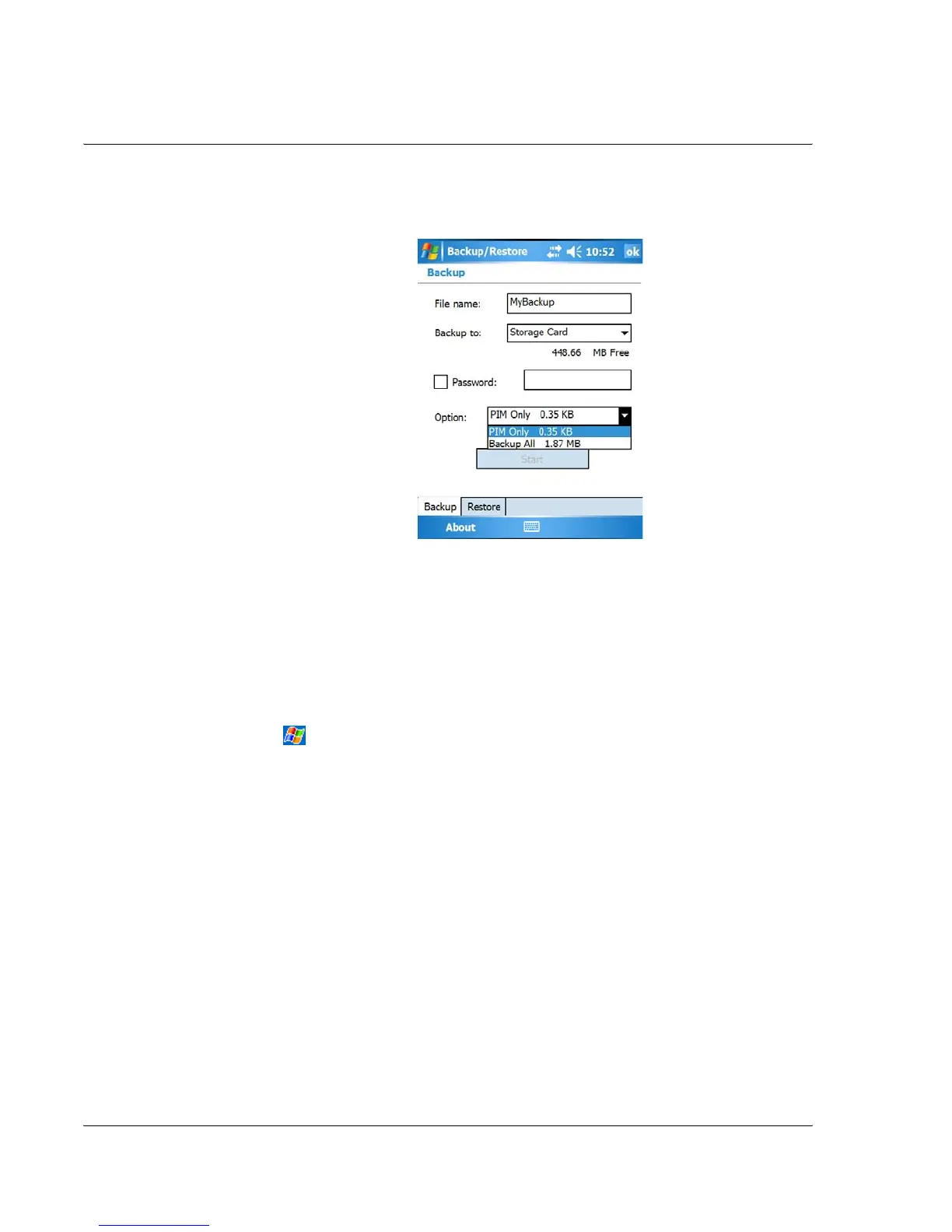
To perform data backup
1 Close all running programs except for Backup/Restore.
2 In the Backup tab, choose whether to accept the default filename (MyBackup) or type
a new one by tapping on the keyboard icon on the bottom of the screen.
3 Select a storage device from the 'Backup to' pull-down menu.
4 Define the backup scope (default: PIM only) from ‘Option' pull-down menu.
5 Check the password box and enter a password if you want to secure the backup file.
6 Tap to proceed with the backup process.
During the backup process, a progress screen will appear displaying backup status.
7 When the backup process is completed, a message box appears, saying that backup
operation is completed.
Restore function
You can only restore backup files that are generated by Backup/Restore; file format is
*.abk (Acer backup).
To perform data restoration
1 Close all running programs except for Backup/Restore.


 To Next Page