EasyManua.ls Logo

Acer Nitro ED240Q - User Manual

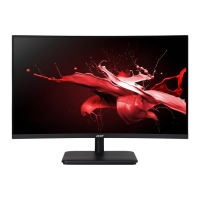
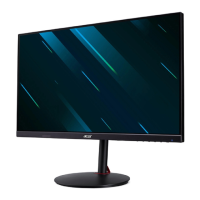
Acer Nitro ED240Q
38 pages
Print Icon
To Next Page IconTo Next Page
Loading...
Acer LCD Monitor
User's Guide

Questions and Answers

  • G
    Garrett TaylorJul 29, 2025
    Why is there no picture on my Acer Nitro ED240Q?
    • M
      Makayla TorresJul 29, 2025
      If the LED is on, use the OSD to adjust the brightness and contrast to the maximum or reset them to their default settings. If the LED is off, check the power switch. Also, ensure the AC power cord is properly connected to the monitor and that the video signal cable is properly connected to the back of the monitor. Finally, check whether the computer system’s power is on.
  • L
    Linda SimpsonAug 7, 2025
    What to do if the Acer Nitro ED240Q display is missing, shifted, or the size is wrong?
    • L
      Lauren VillaAug 7, 2025
      If the display is missing, center-shifted, or too small or too large, use the OSD to adjust RESOLUTION, CLOCK, CLOCK-PHASE, H-POSITION, and V-POSITION with non-standard signals. In case of a missing full-screen image, use the OSD to select another resolution or vertical refresh timing. After adjusting the image size, wait a few seconds before changing or disconnecting the signal cable or powering off the monitor.
  • A
    Allen StevensonAug 17, 2025
    How to fix abnormal sound on Acer Nitro ED240Q Monitor?
    • E
      Eric McclureAug 17, 2025
      Ensure the audio cable is connected to the host PC. Also, check if the volume setup on the host PC is at the minimum. If so, try raising the volume level.

Summary

Information for your safety and comfort

Safety instructions

Read instructions carefully, keep document for reference, and follow product warnings.

Cleaning your monitor

Unplug monitor before cleaning and use a soft cloth for screen and cabinet.

Safe listening

Warnings

Using electrical power

Product servicing

Potentially explosive environments

Additional safety information

Tips and information for comfortable use

Taking care of your vision

UNPACKING

ATTACHING;REMOVING THE BASE

SCREEN POSITION ADJUSTMENT

CONNECTING THE POWER CORD

SAFETY PRECAUTION

CLEANING YOUR MONITOR

CONNECTOR PIN ASSIGNMENT

STANDARD TIMING TABLE

INSTALLATION

USER CONTROLS

Using the Shortcut Menu

The Function page

Adjusting the Settings

Adjusting the Picture

Adjusting the Color

Adjusting the Audio

Adjusting the Gaming

Adjusting the OSD

Adjusting the System

TROUBLESHOOTING

Acer Nitro ED240Q Specifications

General IconGeneral
Screen Size23.6 inches
Resolution1920 x 1080 (Full HD)
Panel TypeVA
Response Time1ms (VRB)
Aspect Ratio16:9
Brightness250 nits
Contrast Ratio3000:1
Curvature1500R
Sync TechnologyAMD FreeSync
Viewing Angle178° (H) / 178° (V)
Color Support16.7 million
Color Gamut72% NTSC
VESA Mount100 x 100 mm
Tilt-5° to 15°
PortsHDMI

Related product manuals