EasyManua.ls Logo

Acer Nitro XV272Pbmiiprzx - User Manual

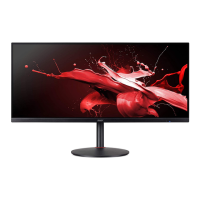
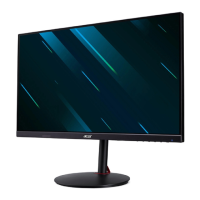
Acer Nitro XV272Pbmiiprzx
32 pages
Print Icon
To Next Page IconTo Next Page
Loading...
Acer LCD Monitor
User's Guide

Questions and Answers

  • D
    dennis06Aug 12, 2025
    What to do if Acer Nitro XV272Pbmiiprzx Monitor has no picture and LED is off?
    • C
      carlyjenkinsAug 12, 2025
      If your Acer Monitor shows no picture and the LED is off, verify that the power switch is turned on and that the AC power cord is properly connected to the monitor.
  • D
    Daniel Lyons MDAug 20, 2025
    What to do if my Acer Nitro XV272Pbmiiprzx Monitor LED displays amber color?
    • G
      garciakelseyAug 20, 2025
      If your Acer Monitor's LED displays an amber color, make sure the video signal cable is properly connected to the back of the monitor and that your computer system is powered on.
  • H
    heather17Aug 27, 2025
    How to fix no picture on Acer Nitro XV272Pbmiiprzx with LED on?
    • T
      Thomas OrrAug 28, 2025
      If your Acer Monitor displays no picture but the LED is on, you can try adjusting the brightness and contrast in the OSD menu to the maximum level. Alternatively, reset the brightness and contrast to their default settings.
  • D
    Deborah GuerreroSep 4, 2025
    Why is my Acer Monitor making abnormal sounds?
    • E
      Elizabeth AdamsSep 4, 2025
      If your Acer Monitor (Audio-Input model) is making abnormal sounds, check that the audio cable is connected to the host PC. Also, verify that the volume on the host PC isn't set to the minimum and try increasing it.

Acer Nitro XV272Pbmiiprzx Specifications

General IconGeneral
Screen Size27 inches
Panel TypeIPS
Brightness400 nits
Contrast Ratio1000:1
Adaptive SyncAMD FreeSync Premium
Viewing Angle178° (H) / 178° (V)
VESA Mount100 x 100 mm
Speakers2 x 2W
Resolution2560 x 1440
Refresh Rate165Hz
Response Time1 ms VRB
Ports1x DisplayPort 1.2, 2x HDMI 2.0, 1x 3.5 mm Audio Out
Color Gamut99% sRGB

Related product manuals