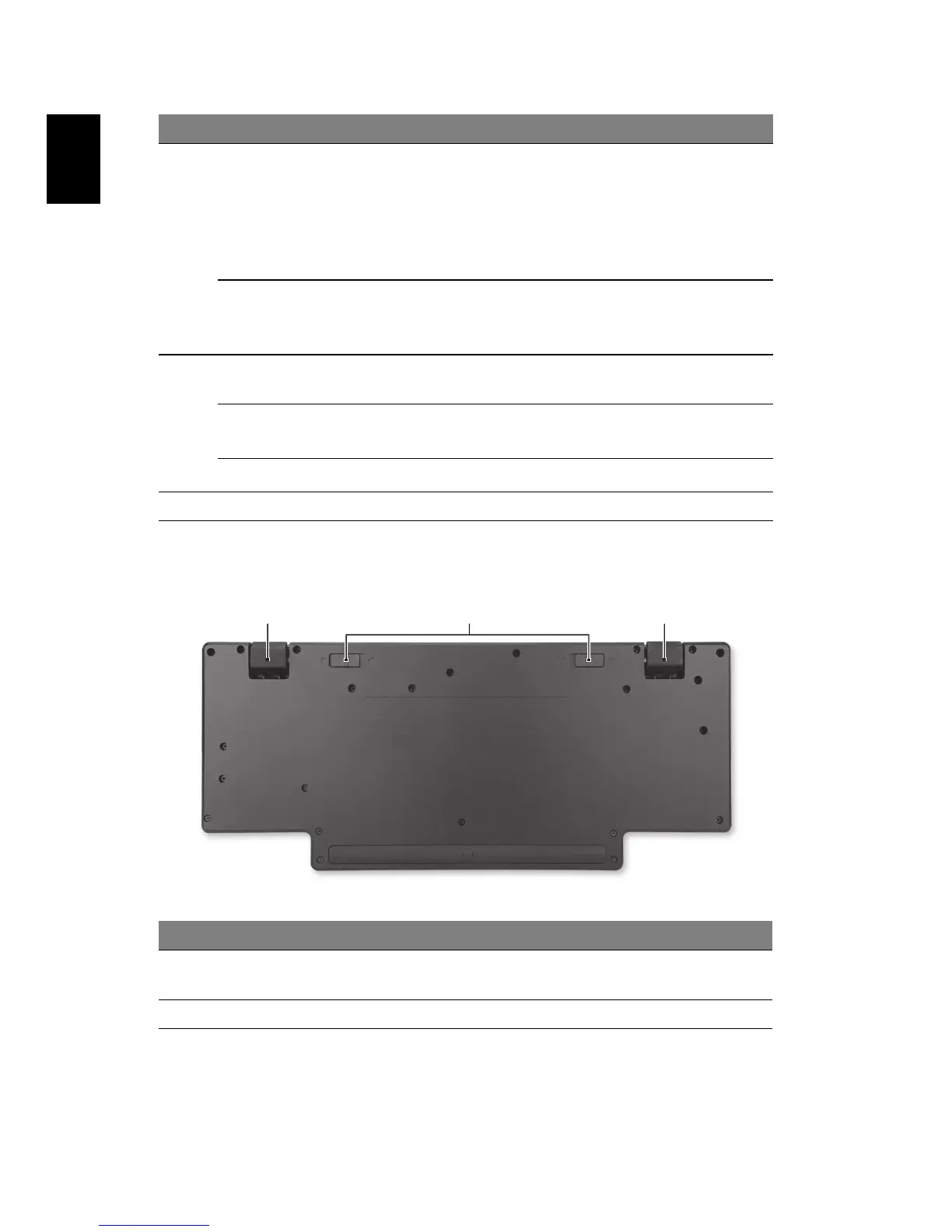
Base view
4
Power indicator Indicates the system's power status.
1. Off: No AC adapter plugged in.
2 Orange: AC adapter connected; notebook in
a power-saving mode.
3. Green: AC adapter connected; notebook is
turned on.
Docking indicator Indicates if a notebook is docked.
1. Off: Notebook is not docked.
2. Green: Notebook is docked.
5
Microphone jack
6
Accepts audio input from external
microphones.
Headphone/speaker
jack
6
Connects to audio devices
(e.g., speakers, headphones).
Line-in jack
6
Accepts audio input from line-in devices.
6 144-pin connector Connects to compatible notebooks.
# Item Description
1 Rotating feet Adjust the ProDock angle for different
computers.
2 Foot locks Secure the feet in the correct orientation.
# Item Description



 To Next Page