6 - Your Acer Chromebook tour
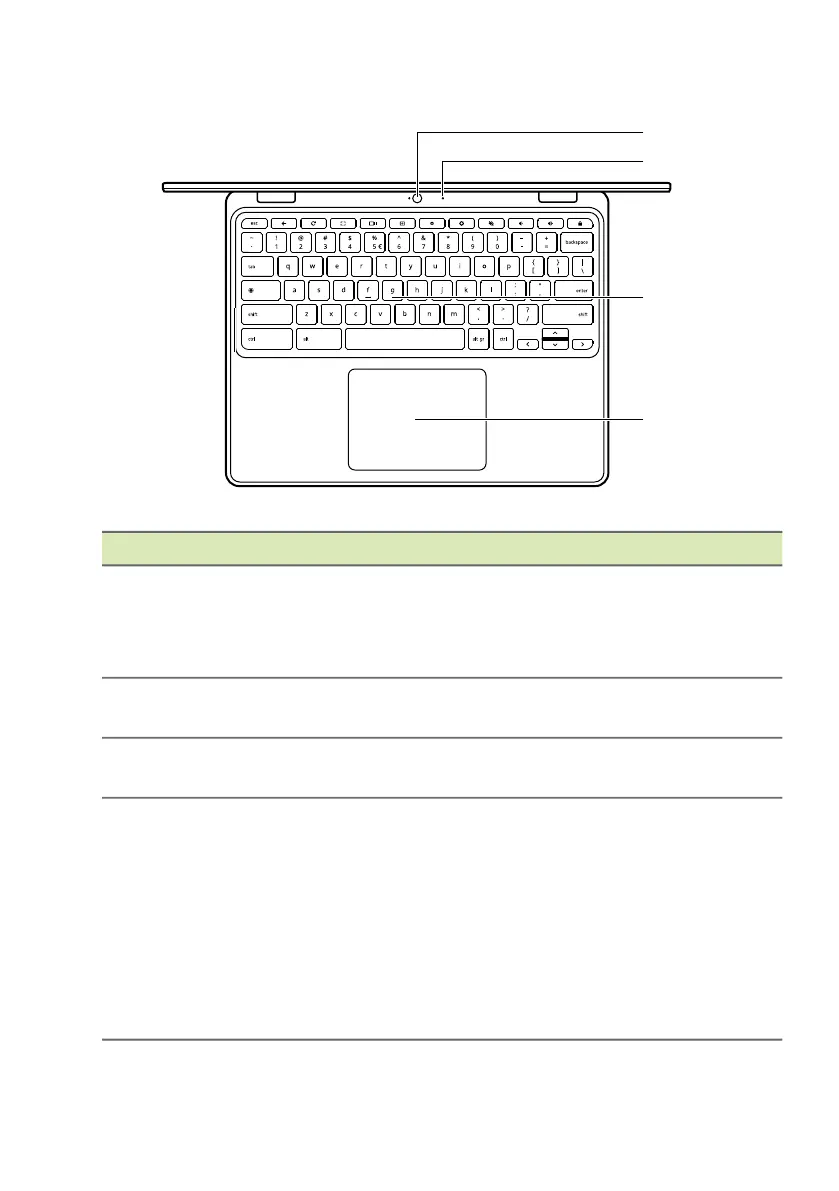
Keyboard view
# Icon Item Description
1 Webcam
Web camera for video
communication.
A light next to the webcam indicates
that the webcam is active.
2 Microphone
Internal microphone for sound
recording.
3 Keyboard
For entering data into your
Chromebook.
4
Touchpad / click
button
Touch-sensitive pointing device
which functions like a Chromebook
mouse.
Pressing down anywhere on the pad
functions like the left button of a
mouse.
Pressing down anywhere with two
fingers functions like the right button
of a mouse.




 To Next Page