- 4 -
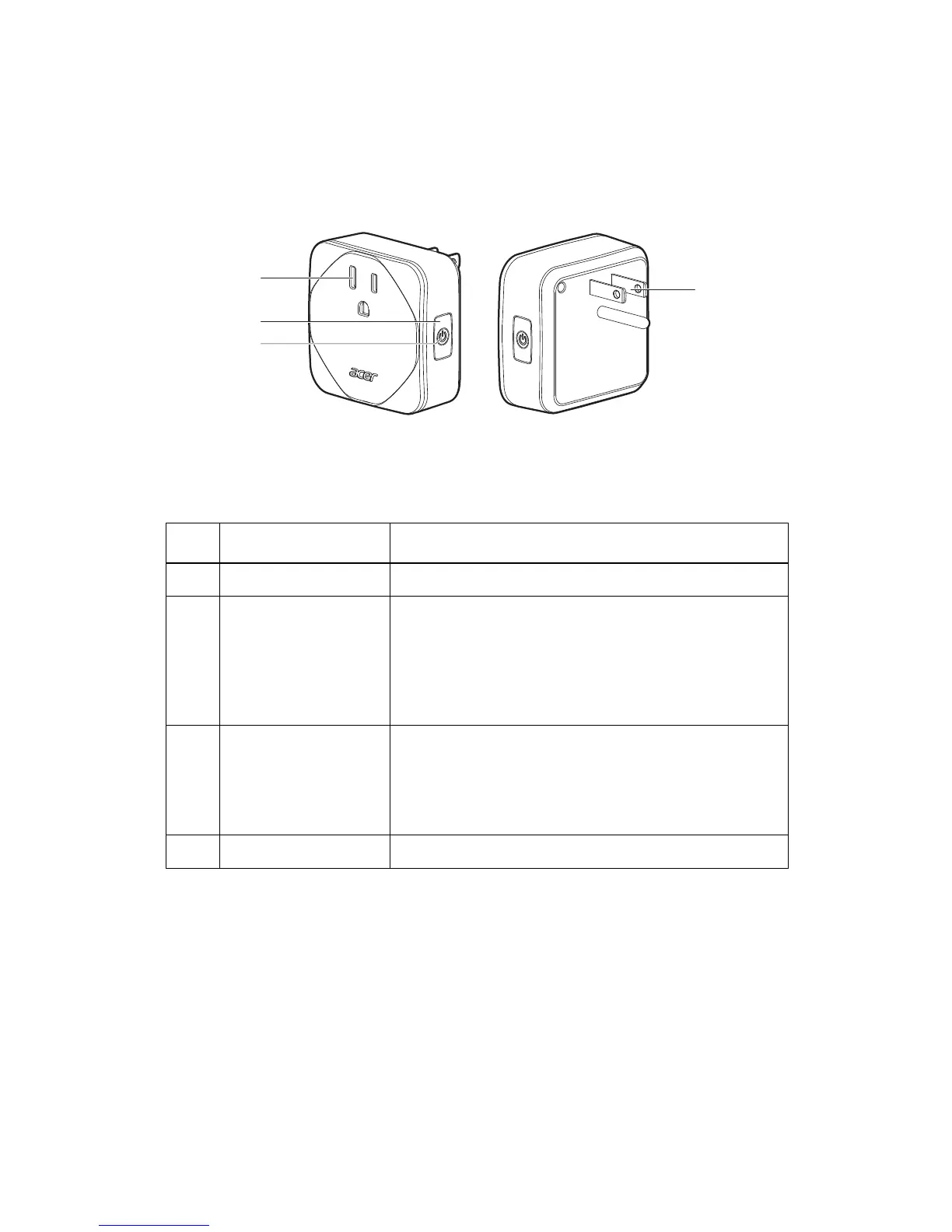
A tour of the device
Item Description
1 Socket Plug your electronic device into the socket
2 Power button Press to power on or off.
Press and hold for:
• 5 seconds - Setup Mode for connecting the Smart
Plug to new WiFi AP.
• 10 seconds - Clear all settings and enter Setup Mode
for connecting the Smart plug to WiFi AP and Cloud.
3 LED indicator • Slow blinking green - Setup Mode or New WiFi Mode
• Solid orange - Device offline
• Slow blinking orange - Ready to enter Setup Mode.
• Solid green - Smart Plug switched on.
• No light - Smart Plug switched off.
4 Plug Insert into a power outlet.


 To Next Page