- 9 -
Using the application
This section offer a brief introductions and explanations on how to use the app, for
more details see the online help that is available on the app.
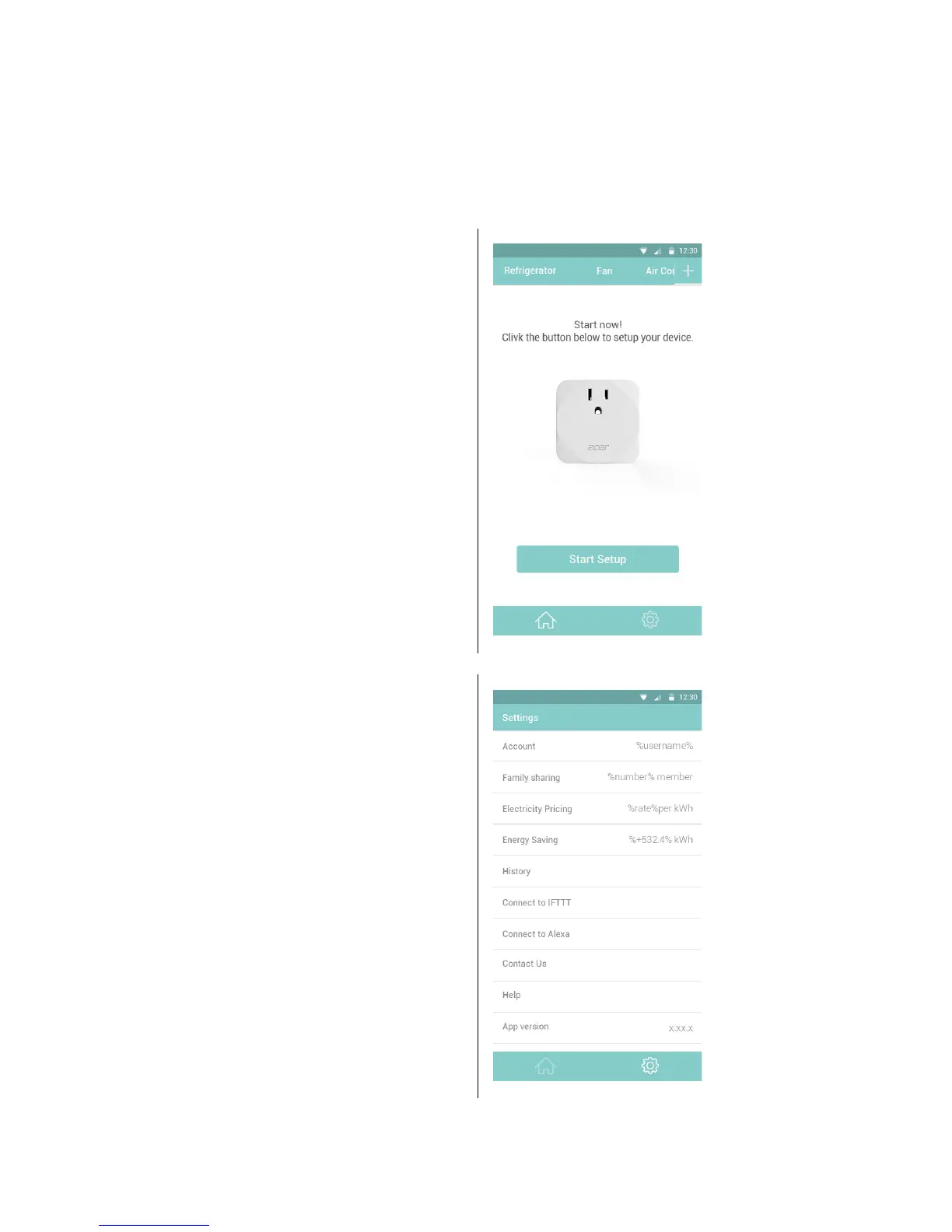
After successfully setting up your Smart
Plug and plugging in your electronic
device, you will need to setup your
device. This is the Start Setup screen.
Ta p o n Start Setup to begin.
Under the Settings:
• Family sharing
• Electricity Pricing
• Energy Saving
•History
• Connect to IFTTT
•Connect to Alexa
•Contact Us
•Help
• App version


 To Next Page