EasyManua.ls Logo

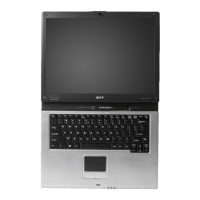
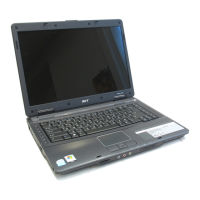
Acer TravelMate 4400 - User Manual

Acer TravelMate 4400
67 pages
Print Icon
To Next Page IconTo Next Page
Loading...
TravelMate 4400 Series
User's Guide

Table of Contents

Other manuals for Acer TravelMate 4400

Questions and Answers

  • L
    Leah SteeleAug 11, 2025
    What to do if POST does not complete on Acer TravelMate 4400?
    • B
      brandon86Aug 12, 2025
      If the POST does not complete, and there are no beeps or error codes indicated on your Acer Laptop, consult “Power-On Self-Test (POST) Error Message” on page 67 “Undetermined Problems” on page 79.
  • D
    Daniel HaydenAug 18, 2025
    What to do if my Acer Laptop has other symptoms (i.e. LCD display problems or others)?
    • J
      jackson12Aug 18, 2025
      If you are experiencing other symptoms with your Acer Laptop, such as LCD display problems, consult the “Power-On Self-Test (POST) Error Message” on page 67.
  • L
    Lisa TaylorAug 26, 2025
    What to do if POST detects an error and displayed messages on the screen of my Acer Laptop?
    • A
      Alex DominguezAug 26, 2025
      If the POST detects an error and displays messages on the screen, refer to the “Error Message List” on page 68.
  • D
    douglas00Sep 3, 2025
    What to do if symptoms cannot be re-created (intermittent problems) with my Acer TravelMate 4400 Laptop?
    • T
      Theresa HowardSep 3, 2025
      If you are facing intermittent problems with your Acer Laptop that cannot be easily replicated, use the customer-reported symptoms and go to “Power-On Self-Test (POST) Error Message” on page 67 “Intermittent Problems” on page 78 “Undetermined Problems” on page 79.

Acer TravelMate 4400 Specifications

General IconGeneral
Hard Drive InterfaceATA-100
Operating SystemWindows XP Professional
ChipsetIntel 915GM
ProcessorIntel Pentium M
Storage40 GB
Display15-inch XGA or SXGA+
Maximum Resolution1024 x 768 / 1400 x 1050
GraphicsIntel Graphics Media Accelerator 900
Weight2.8 kg
Optical DriveDVD-ROM
Networking802.11b/g Wi-Fi
Ports3 x USB 2.0

Related product manuals