4 -
English
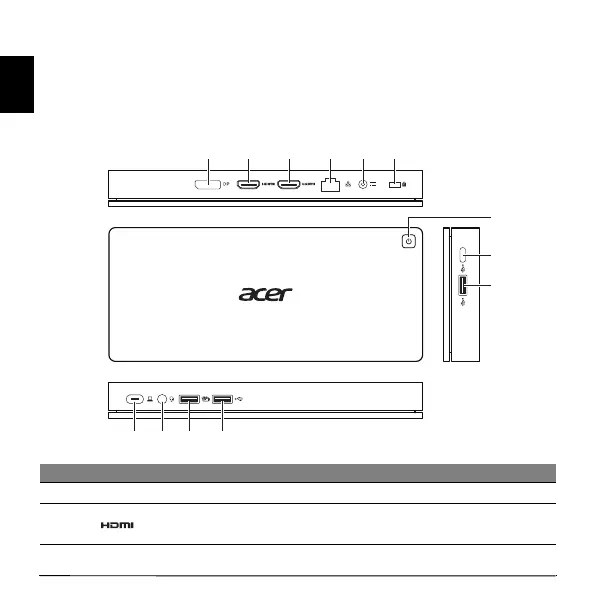
Ports and connectors
This section describes the ports and connectors of the Acer USB Type-C Dock II.
Note: You computer must feature a USB Type-C port that supports at the
same time the Power Delivery, DP, and data transfer functions.
Views
# Icon Item Description
1 DP DisplayPort 1.2 port Supports high-definition digital video connections.
2 HDMI 2.0 port 1
Supports high-definition digital audio/video
connections.


 To Next Page