- 7
English
Setting Up
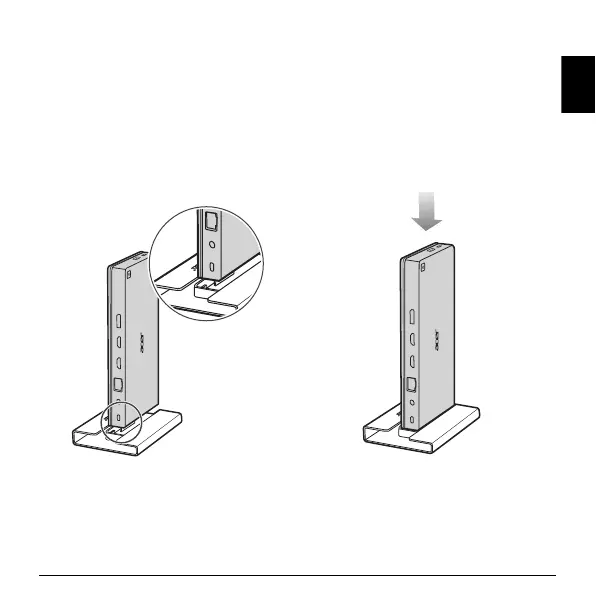
The 2-way stand that comes with Acer USB Type-C Dock II allows you to setup the
dock in a space-saving way.
Vertical mode
12
Place the stand on even and steady
surface. Arrange the stand and the
dock as illustrated. Align the rear
side of the dock with the rubber
ridge.
After the ridge is aligned, push the
dock down into place.


 To Next Page