
EasyManua.ls Logo

Acer Veriton Z2610G - User Manual

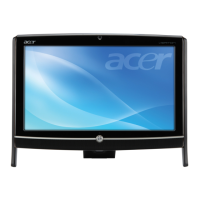
Acer Veriton Z2610G
132 pages
Print Icon
To Next Page IconTo Next Page
Loading...
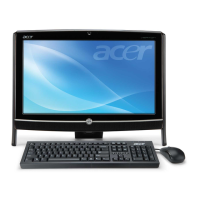
Veriton Z2610G/Z2611G/Z2620G/Z2621G
All-In-One Computer Service Guide
PRINTED IN TAIWAN
Service guide files and updates are available
on the Acer/CSD web site; for more
information, go to
http://csd.acer.com.tw

Table of Contents

Questions and Answers

  • V
    Victoria AndersonJul 30, 2025
    How to fix Acer Veriton Z2610G Desktop that will not power on?
    • L
      lmayJul 30, 2025
      If your Acer Desktop fails to power on, ensure the power cable is securely connected to both the AC power jack on the computer and a working AC power source. Also, verify that the voltage selector switch is set to the correct voltage.
  • D
    David LeachAug 3, 2025
    What to do if Acer Veriton Z2610G has a BIOS update failure?
    • P
      petersonjohnAug 4, 2025
      If your Acer Desktop experiences a BIOS update failure, which may be due to an interruption during the BIOS flash procedure or corrupted BIOS code, you should perform a BIOS recovery using a bootable USB flash drive.
  • T
    Travis WatersAug 9, 2025
    What to do if Acer Veriton Z2610G Desktop shows memory error?
    • M
      Marco NovakAug 9, 2025
      If your Acer Desktop shows a memory error or indicates that memory is not installed, the solution is to replace or install the memory.
  • E
    Erin MoranAug 14, 2025
    What to do if Acer Desktop shows VGA error?
    • T
      Teresa YangAug 14, 2025
      In case of VGA errors or if the VGA is not installed on your Acer Desktop, which could be due to a graphics card error, memory issues, or BIOS checksum problems, the solution is to replace or install the VGA.
  • L
    Laura DavisAug 18, 2025
    How to fix CMOS damaged on Acer Desktop?
    • G
      george35Aug 19, 2025
      If the CMOS is damaged in your Acer Desktop, possibly due to a checksum error or battery loss, replace the CMOS battery.
  • B
    bwhiteAug 23, 2025
    Why is BIOS damaged on Acer Veriton Z2610G Desktop and how to fix it?
    • J
      jlambAug 23, 2025
      If the BIOS on your Acer Desktop is damaged, causing the BIOS POST to jump to the Boot Block, you should access and execute the boot block program to reboot the computer and recover the regular BIOS code.

Summary

Chapter 1 - Features and Specifications

System Features

Lists the features and specifications of the Veriton Z2610G/Z2611G/Z2620G/Z2621G AIO computer.

Hardware Specifications Overview

Overview of processor, chipset, memory, storage, and connectivity hardware specifications.

Chapter 2 - System Utilities

Accessing and Navigating BIOS Setup

Instructions for accessing, navigating, and using the BIOS Setup Utility.

Chapter 3 - System Disassembly and Reassembly

Chapter 4 - Troubleshooting

Hardware Diagnostic Procedure

Steps to obtain failing symptoms, verify them, and determine corrective action.

Beep Codes and Checkpoints

Explains beep codes and BIOS checkpoints for error indication and debugging.

BIOS Recovery and Update

Procedures for recovering and updating the system BIOS.

Chapter 6 - Field Replaceable Unit (FRU) List

Acer Veriton Z2610G Specifications

General IconGeneral
RAM4GB DDR3
Storage500GB HDD
GraphicsIntel HD Graphics
Operating SystemWindows 7 Professional
PortsHDMI, VGA
NetworkingGigabit Ethernet, 802.11b/g/n Wi-Fi
Optical DriveDVD Super Multi
ChipsetIntel H61
ProcessorIntel Core i3-2120 (3.3 GHz)

Related product manuals