EasyManua.ls Logo

Acer X1529HP Series - User Manual

Acer X1529HP Series
61 pages
Print Icon
To Next Page IconTo Next Page
Loading...
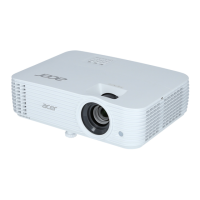
Acer DLP Projector
X1529HP/MF529/Q59F/EF565/EV-F60/
M459/BS-429/X1529HK/MF529K/Q59FK/
EF565K/EV-F60K/M459K/BS-429K/
H6542PK/E355DPK/HE-805PK/GM525PK/
H6531PK+/VH-425PK/H6542K/E355DEK/
HE-805EK/GM525EK/H6531EK+/VH-
425EK/H6543BDK/E356DK/HE-806K/
GM526K/H6547BDK/VH-426K/
H6543BDK+/H6547BDK+/E356D/HE-806/
GM526/X1526PK/D655FPK/V58FPK/
AF608PK/EV-F58PK/M456PK/BS-425APK/
DX525APK/KW320APK/H6542PK/X1526K/
D655FEK/V58FEK/AF608EK/EV-F58EK/
M456EK/BS-425AEK/DX525AEK/
KW320AEK/H6542EK/X1629HP/MU529/
Q59U/EU565/EU566/DX629/BS-529/
X1629HK/MU629K/Q59UK/EU565K/
EU566K/DX629K/BS-529K/H6543BD/
E357D/HE-807/GM527/H6542BD+/VH-
427/A1P2104
Series User's Guide
Copyright © 2021. Acer Incorporated.
All Rights Reserved.
Acer Projector User's Guide
Original Issue: 05/2021

Questions and Answers

  • K
    Kiara AdamsSep 23, 2025
    How to correct a reversed image on Acer X1529HP Projector?
    • D
      Destiny ColeSep 23, 2025
      To correct a reversed image on your Acer Projector: select "Image" > "Projection Mode", "Image" > "Projection Location" on the OSD and adjust the projection direction.
  • D
    Donald JordanAug 23, 2025
    How to fix Acer X1529HP Projector when no image appears on screen?
    • M
      mnelsonAug 25, 2025
      If no image appears on the screen when using your Acer Projector, ensure all cables are correctly connected as described in the "Getting Started" section. Also, check that none of the connector pins are bent or broken, and make sure the projector is switched on.
  • C
    Cheryl CamachoAug 25, 2025
    How to adjust the image size on Acer X1529HP Projector?
    • S
      Steven CoxAug 26, 2025
      To adjust the image size on your Acer Projector: adjust the zoom lever on the top of the projector; move the projector closer to or further from the screen; press "MENU" on the control panel or remote control, go to "Image" > "Aspect Ratio" and try different settings.
  • D
    derek80Aug 27, 2025
    Why Acer X1529HP is not displaying presentation from notebook?
    • P
      philip01Aug 27, 2025
      If your notebook computer's screen is not displaying your presentation when using an Acer Projector: if you are using a Microsoft® Windows® based notebook, some notebook PCs may deactivate their own screens when a second display device is in use, refer to your computer's manual for detailed information on how to reactivate it. If you are using an Apple® Mac® OS based notebook, in System Preferences, open Display and select Video Mirroring "On."
  • A
    Ashley WilsonAug 27, 2025
    Why the screen of the notebook computer is not displaying my presentation on Acer X1529HP Projector?
    • C
      charleneburnettAug 27, 2025
      If your notebook computer's screen isn't displaying your presentation on the Acer Projector: * If you are using a Microsoft® Windows® based notebook: Some notebook PCs may deactivate their own screens when a second display device is in use. Each has a different way to be reactivated. * If you are using an Apple® Mac® OS based notebook: In System Preferences, open Display and select Video Mirroring 'On.'
  • A
    Angela HowellSep 18, 2025
    Why is Acer X1529HP Projector image stretched when playing widescreen DVD?
    • P
      powersnicholasSep 18, 2025
      If the image is stretched when displaying a "widescreen" DVD title on your Acer Projector, when you play a DVD encoded in anamorphic or 16:9 aspect ratio you may need to adjust the following settings: if you play a 4:3 format DVD title, please change the format to 4:3 with the projector OSD; if the image is still stretched, you will also need to adjust the aspect ratio, set up the display format to 16:9 (wide) aspect ratio on your DVD player.
  • A
    Andrew TrujilloSep 16, 2025
    How to stabilize flickering image on Acer Projector?
    • L
      Lindsey Torres MDSep 16, 2025
      To stabilize an unstable or flickering image on your Acer Projector: use "Tracking" to correct it; change the display color setting on your computer.
  • J
    Jillian RosalesSep 18, 2025
    How to remove vertical flickering bar on Acer X1529HP image?
    • J
      jacksondavidSep 18, 2025
      To remove a vertical flickering bar on your Acer Projector image: use "Frequency" to make an adjustment; check and reconfigure the display mode of your graphics card to make it compatible with the projector.
  • C
    christopher24Sep 6, 2025
    What to do if Acer X1529HP stops responding to all controls?
    • F
      Frank BoydSep 7, 2025
      If your Acer Projector stops responding to controls: * If possible, turn off the projector, then unplug the power cord and wait at least 30 seconds before reconnecting power. * Make sure that the control panel lock function is disabled.
  • K
    Kevin AtkinsonSep 4, 2025
    What to do if Acer Projector stops responding to controls?
    • J
      James MorrisonSep 4, 2025
      If your Acer Projector stops responding to all controls: turn off the projector, then unplug the power cord and wait at least 30 seconds before reconnecting power; make sure that the control panel lock function is disabled.

Acer X1529HP Series Specifications

General IconGeneral
BrandAcer
ModelX1529HP Series
CategoryProjector
LanguageEnglish

Related product manuals