EasyManua.ls Logo

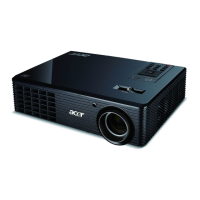
Acer X1525C - User Manual

Acer X1525C
54 pages
Print Icon
To Next Page IconTo Next Page
Loading...
Acer Projector
X1525C/D750E/EV-F70K/V60AF/AF550B/
X1525i/DX530E/BS-530K/KF340A/H6535M/
H6535i/F1P1806/
X1325WC/D720E/EV-W70K/V60AW/
AW550B/X1325Wi/DX430E/BS-330K/
KW340A/FWX1807/
X1225C/D710E/EV-X70K/V60AX/AX550B/
X1225i/DX230E/BS-130K/KX340A/FNX1808/
X1125C/D700E/EV-S70K/V60AS/AS550B/
X1125i/DX130E/BS-030K/KS340A/FSV1809
User's Guide

Questions and Answers

  • P
    Patricia HuntAug 10, 2025
    Why is my Acer X1525C Projector remote control not working?
    • J
      joshuaweaverAug 10, 2025
      If your Acer Projector remote control isn't working, ensure nothing is blocking the remote control receiver on the front of the projector. Use the remote control within the effective range, aiming it at the screen or the front of the projector. Also, try moving the remote control so it is more directly in front of or behind the projector, and not as far to the side.
  • J
    John ChaneyAug 23, 2025
    What to do if my Acer Projector has image problems?
    • L
      Lauren CisnerosAug 25, 2025
      If your Acer Projector displays the searching source, press the SOURCE button to select an active input source. Ensure the external source is turned on and connected. For a computer connection, verify that your notebook computer’s external video port is enabled (refer to the computer manual). If the image is out of focus, adjust the focus ring while displaying the on-screen menu, and check the projection lens for cleaning. If the image is flickering or unstable for a computer connection, press RESYNC.

Acer X1525C Specifications

General IconGeneral
BrandAcer
ModelX1525C
CategoryProjector
LanguageEnglish

Related product manuals