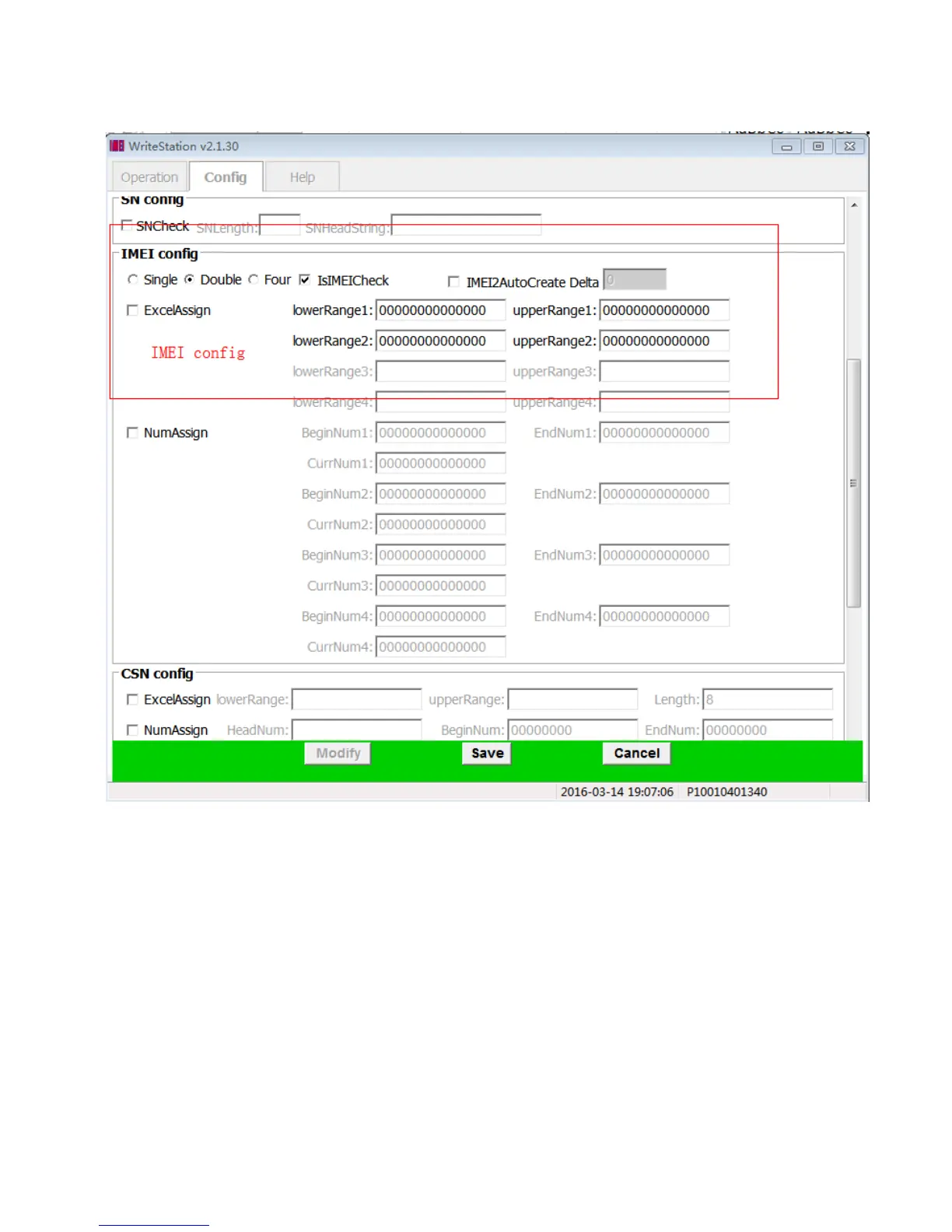
4.8 :IMEI control information set
Single: indicates that you want write one IMEI only into your handset.
Double: indicates that you want to write two IMEI into your handset.
Four: indicates that you want to write four IMEI into your handset.
IsIMEICheck:check the validity of the last number of IMEI if this box is checked;
IMEI2-AutoCreate: IMEI2 will automatically counted according to IMEI1 if checked.
D-value: the delta value between IMEI1 and IMEI2
lowerRange:the lower range of IMEI.
upperRange:the upper range of IMEI. If the low value and the upper value are not zero at the same time,the
tool will compare the IMEI which will be written with the low value and the upper value.


 To Next Page
 Loading...











