
 Need help?
Do you have a question about the ACLAS PP7M Series and is the answer not in the manual?
Connect printer to grounded receptacle, avoid multi-outlets, use supplied adapter, avoid hot/wet/polluted places, do not plug/unplug with wet hands, do not pull cable.
Install on stable surface, unplug if smoke/odor/noise, do not disassemble, avoid water/foreign objects, switch off when not in use, ensure switch is off when plugging/unplugging, do not use if out of order, keep manual.
Details on optional type, speed, power supply, print method, resolution, paper type, character set, barcode type, interface, etc.
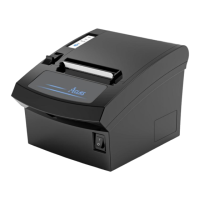
Visual overview of the printer, indicating power switch and cover switch.
Lists included accessories such as AC adapter, power cord, user manual, paper roll, and USB cable.
Explains printer indicators (Power, Error, Paper Out) and the Feed button function.
Steps to connect the printer to a computer using a communication cable, including securing the connector.
Instructions for connecting the power supply, including cautions about voltage matching and connection order.
Instructions for cleaning the printer head, platen roller, and paper end sensor using alcohol solvent and water.
Warnings about touching the thermal printer head and replacing the paper cutter.
Covers issues like out of paper, paper deviation, unsteady feeding, and paper jams.
Addresses unclear characters and missing columns in printed output.
Includes self-test failures, overheating printer head, and cutter jams.
Steps to configure communication settings in the printer tool software.
How to select TCP/IP for Ethernet connection, input IP address, and perform communication test.
How to select RS232 for serial connection, configure COM port and baud rate.
How to select USB connection type, including USB Virtual Serial Port or USB Printer.
Steps to connect the printer, run the setup wizard, and select installation options.
Select the correct port (e.g., COM2) from the printer properties interface.
Configure port settings like bits per second, data bits, parity, stop bits, and flow control.
 General
| Print Resolution | 203 dpi |
|---|---|
| Operating System Compatibility | Windows |
| Display | LCD |
| Power Source | AC Adapter |
| Print Technology | Thermal |
| Connectivity | USB |
| Label Length | Min 10 mm |

 To Next Page