26
8.3 How to Config Connect Port
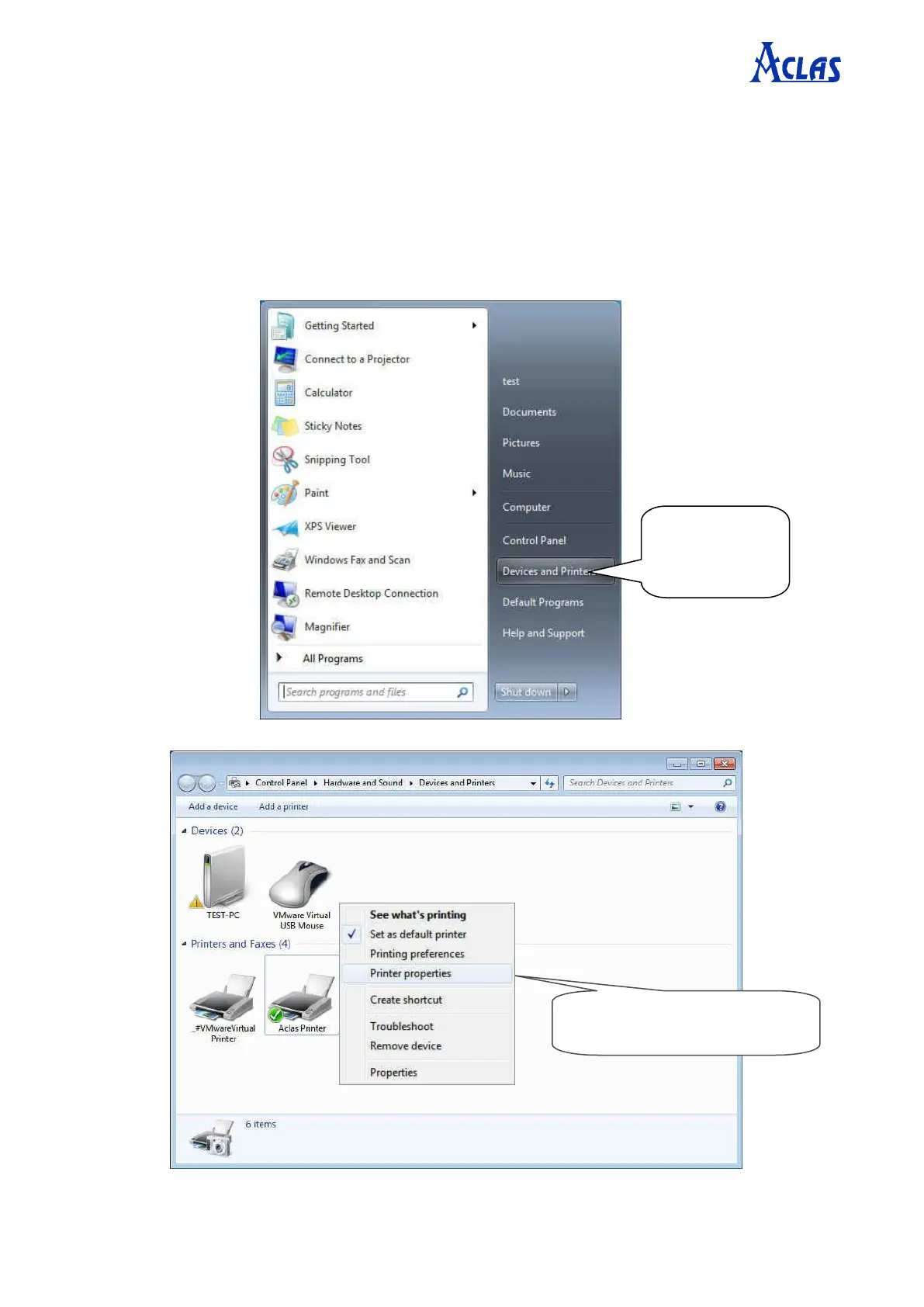
Step1: Enter “Printer properties” interface of the printer first to configure port after
knowing the connecting port. (The location of “Printer properties” varies slightly from
system to system. No matter what system your PC has been installed, the goal is to find the
location of “Printer properties”.)
If your PC is installed with WIN7 system, please follow the below steps to enter “Printer properties”
interface.
Right click “Aclas Printer”,
choose “Printer properties”.
Click “Devices
and Printers” in
start menu.


 To Next Page