Home
ACLAS
Label Maker
PP7M Series
Page 19 (7.4 Other Setting)
ACLAS PP7M Series - 7.4 Other Setting
36 pages
Manual
Save Page as PDF
To Next Page
To Next Page
To Previous Page
To Previous Page
Loading...
16
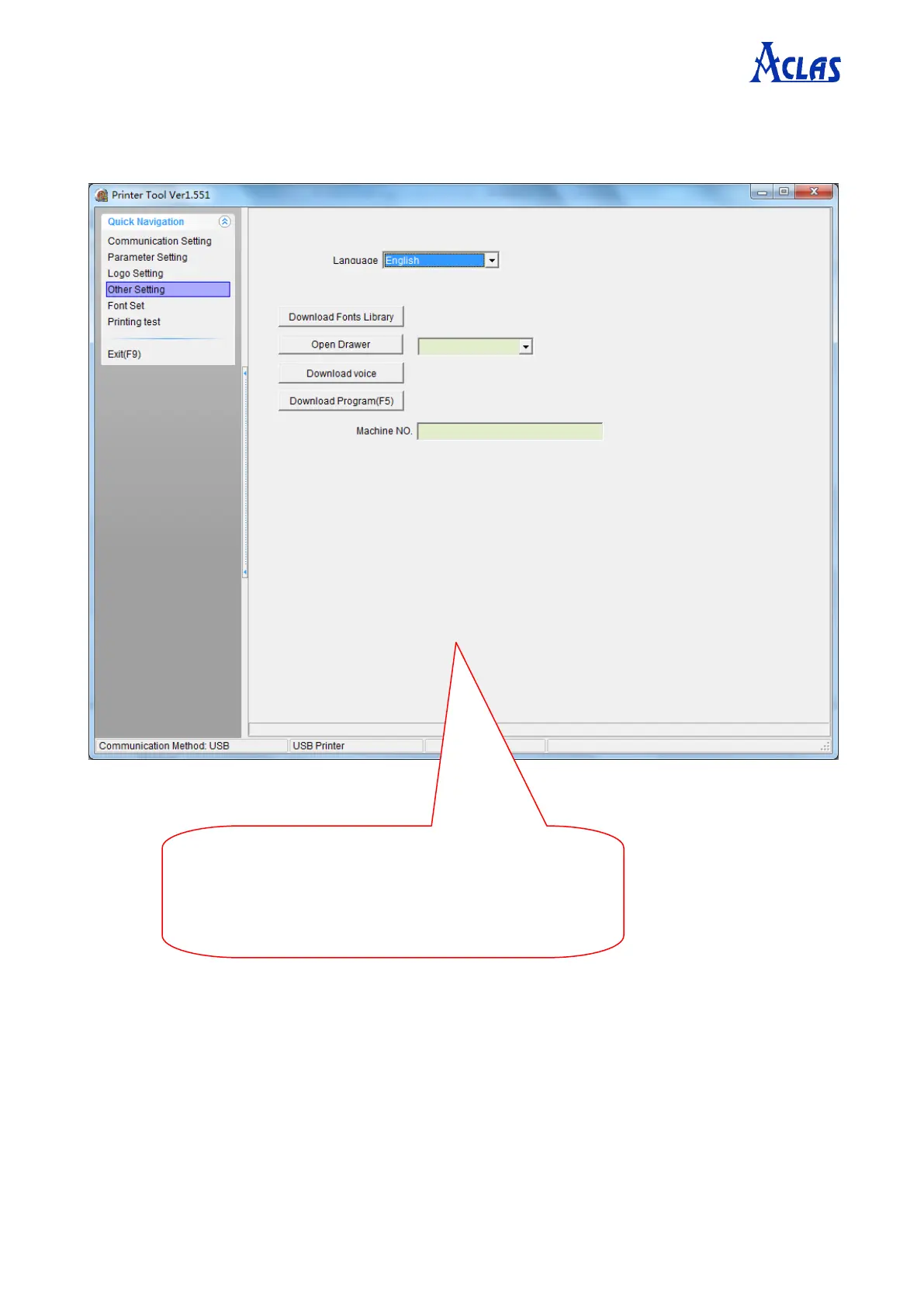
7.4
Other Setting
Click
“
Other
Setting
”
in the
“
Quick Navigation
”
menu. The window is displayed as follows.
Here
you
can
set
language,
test
the
function
of
drawer
.
V
oice
function
is
reserved,
and
this
model
is
not
supported
at
present.
Download
progra
ms
and
fonts
only
if
the
printer
program, f
onts are damaged, pl
ease use with caut
ion.
18
20
Table of Contents
Main Page
Table of Contents
3
Introduction
4
Specifications
4
Appearance
5
Accessories
5
Paper Installation
6
Setting the Printer
8
Using the Printer
8
Connecting the Computer
8
Connecting the Power Supply
9
Self Test
10
Maintenance
10
Troubleshooting
11
Printer Tool Instruction
12
Communication Setting
12
Ethernet Printer
12
Serial Printer
14
USB Printer
15
Parameter Setting
16
Logo Setting
18
Other Setting
19
Printing Test
20
Printer Driver Installation Instruction
23
Printer Driver Installation
23
How to Know the Connect Port
27
How to Config Connect Port
29
Contact Us
35


 To Next Page