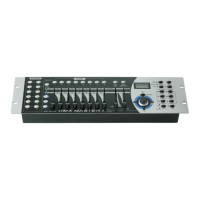
6. Tap the Scene button you wish to copy the scene to.
4-2.4 Delete a Scene
1. Tap the desired Scene button to select the scene you wish to delete
2. Press and hold down the Auto/Del button.While holding down
the Auto/Del button, tap the Scene button that stores the scene
you wish to delete.
4-2.5 Delete all Scenes
This function will reset all DMX channel to 0 output.
1. With the power off, press and hold down the Program and
Bank Down buttons at a time.
2. Apply power again, all scenes should be cleared.
Page 13
2. Press and hold down the Auto/Del button. Tap the Chase
button while holding down the Auto/Del button, all LEDs will
flash three times briefly indicating this chase has been deleted.
4-3.5 Delete all Chases
1. With the power off, press and hold down the Auto/Del and
Bank Down buttons at the same time.
2. Apply the power again.
4-4 Assign/Reverse DMX channel
4-4.1 Assign DMX channel
1. Program enable.
2. Press the Fine and Mode buttons at a time,the Assign LED
lights up indicating Assign mode is active.
3. Use Bank Up/Down button to change between the Pan and
Tilt, the corresponding LED lights indicating this selection.
Page 18


 To Next Page
 Loading...