EasyManua.ls Logo

ACME Oxygen - 05; How to Set the Unit; Main Functions

ACME Oxygen
48 pages
Print Icon
To Next Page IconTo Next Page
To Previous Page IconTo Previous Page
Loading...
- 11 -
05/ How To Set The Unit
5.1 Main Functions
To access the control menus, press the [MENU] button.
Navigate the menu structure, using the [ENTER], [ UP] and [ DOWN] buttons.
To select a menu option or to confirm a selection, press the [ENTER] button.
To return to a higher level in the menu structure without making a change, press the
[MENU] button, or wait 30 seconds.
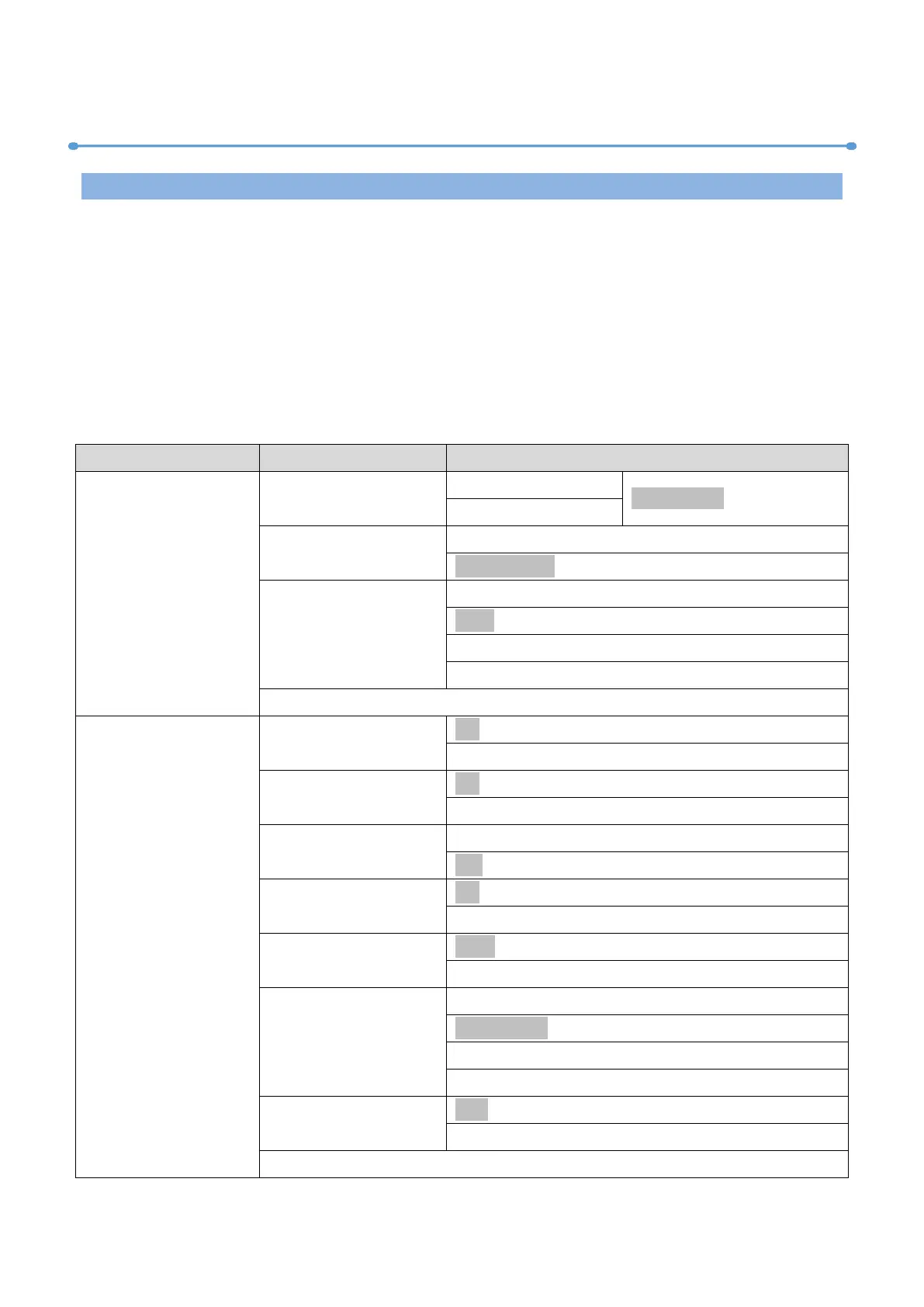
The main functions are shown below:

MENU
SUBMENU
OPTIONS
DMX Settings
DMX Address
1-496 (17 CH)
(Default=1)
1-476 (37 CH)
Channel Mode
Mode 1 (17)
Mode 2 (37)
No DMX Status
Blackout
Hold
Manual
Pri. Sec.
View DMX Value
Fixture Settings
Pan Invert
No
Yes
Tilt Invert
No
Yes
P/T Feedback
No
Yes
Zoom Invert
No
Yes
Fan Mode
Auto
Silent
Dimmer Curve
Linear
Square Law
Inv SQ Law
S Curve
Dimmer Speed
Fast
Smooth

Related product manuals