
 Need help?
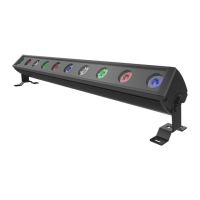
Do you have a question about the ACME PIXEL LINE IP and is the answer not in the manual?
Details the process of connecting multiple fixtures together using built-in locking mechanisms.
Explains menu navigation, accessing settings, and configuring device functions like DMX address and channel mode.
Describes how to access and adjust offset menus for color calibration and fine-tuning of LED output parameters.
Provides instructions on connecting fixtures using DMX512 protocol, including termination and cable types.
Details how to set the DMX address for units to enable control by a universal DMX controller.
Outlines DMX channel configurations and functions for various operating modes, such as 7-channel and 15-channel.
 General
| IP Rating | IP65 |
|---|---|
| Color Temperature | 2700K - 6500K |
| Operating Temperature | -20°C to 45°C |
| Storage Temperature | -30°C to 60°C |
| Lifespan | 50, 000 hours |










 To Next Page