2
03
7
12
7.1
1
3
2
5
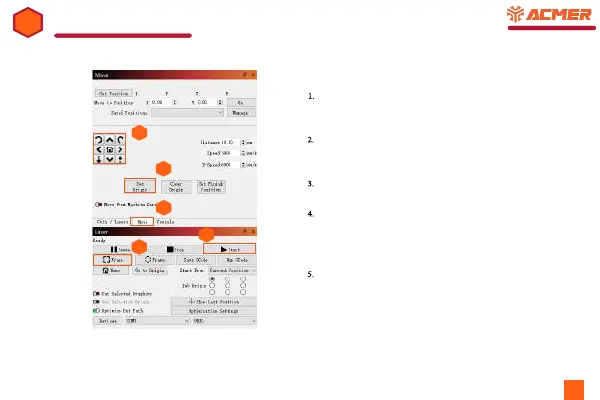
1. Switch from ‘Cut / Layers’ window to ‘Move’
window,.
2.
Move the laser head to the appropriate position by
button or manually.
3.
Set engraving origin point.
4.
Click Frame to let the engraving machine simulate
the engraving range to ensure that the laser head can
carve normally within the engraving range. Repeat
steps 2 and 3 if the scope is inappropriate.
4
5. After everything is OK, you can start carving.



 To Previous Page