18
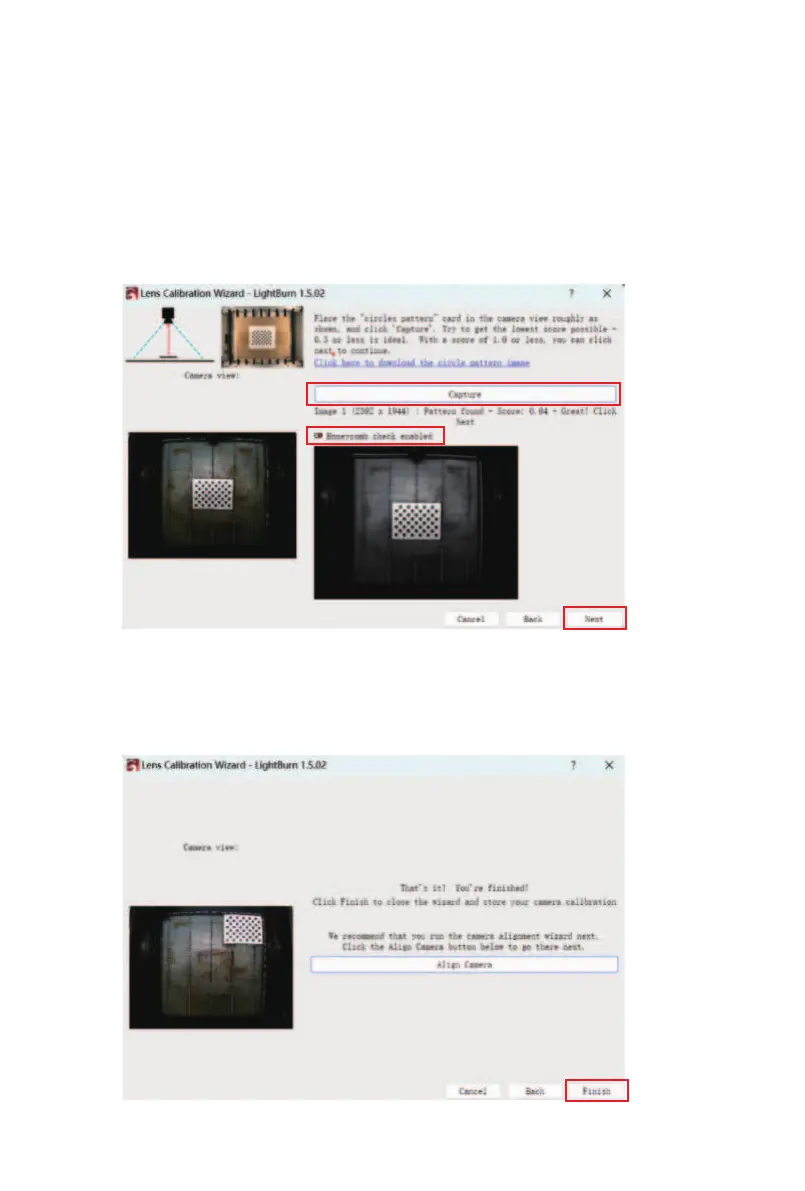
④ Uncheck the "Honeycomb check enabled" option, and
place the calibration card in the specified location per the
prompts. The first step is to place it in the center, then
click "Capture" and "Next".
If the calibration card cannot be recognized, it is recom-
mended that a layer of other material, such as plywood,
be placed on top of the honeycomb.
⑤ Calibrate each position in sequence as prompted by
the software until the camera calibration is complete, then
click "Finish".



 To Next Page