23
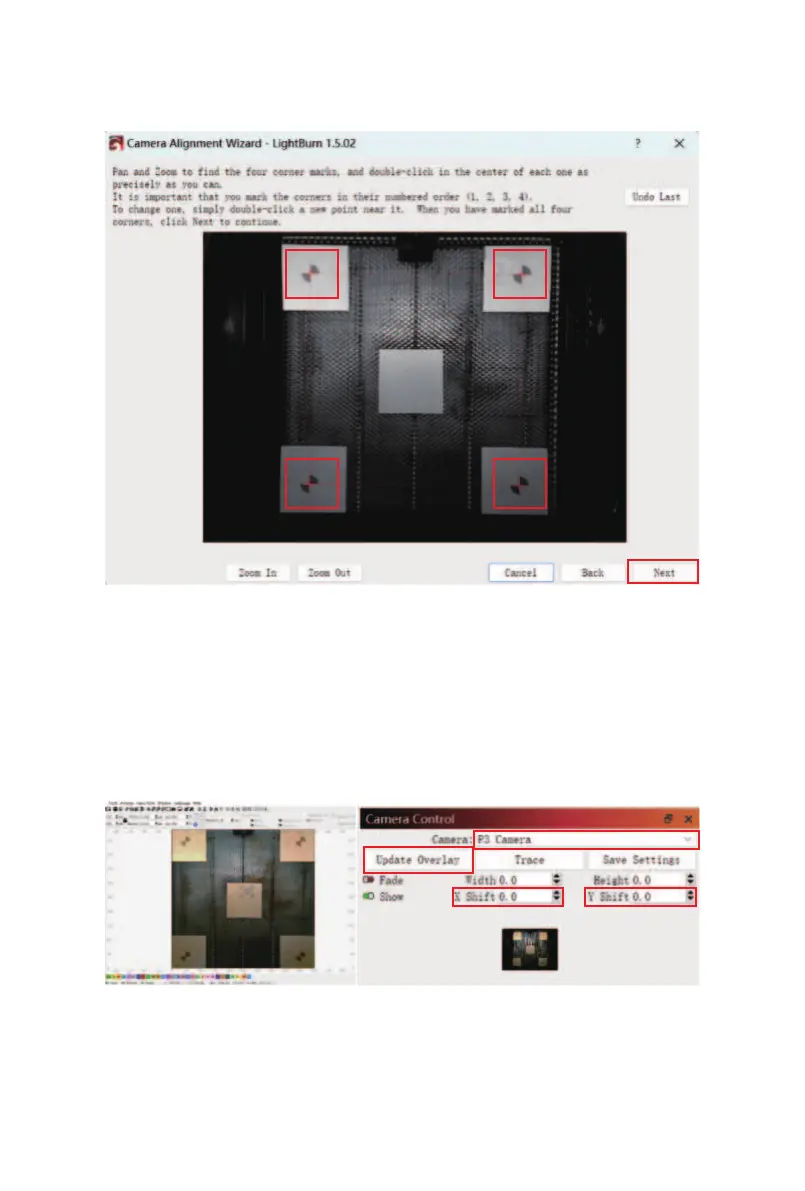
⑫ Mark the intersections of the four corner patterns in
sequence as prompted, then click "Next".
⑬ In the Camera Control window, select "P3 Camera" and
click "Update Overlay". Draw a rectangle to engrave.
When the carving is finished, click "Update Overlay" again
to update the screen and observe whether the carving
pattern overlaps. If there is no overlap, you can adjust the
X, Y oset through the "Camera Control" window to align.



 To Next Page