48
1. It is normal for the machine to have some light noise
during operation, such as the cooling fan of the laser, the
exhaust fan, and the high-speed motion of the structure.
2. Manually move the X and Y axes to check if there is any
obvious sticking or binding.
3. Inspect if any screws have become loose or fallen o.
4. Check if the transmission components such as the
timing belts, guide rail, and optical axis are obstructed by
any foreign objects.
5. Apply the provided lubricating grease to the optical
axis and guide rail to keep them lubricated.
Q3. The machine makes noise during operation:
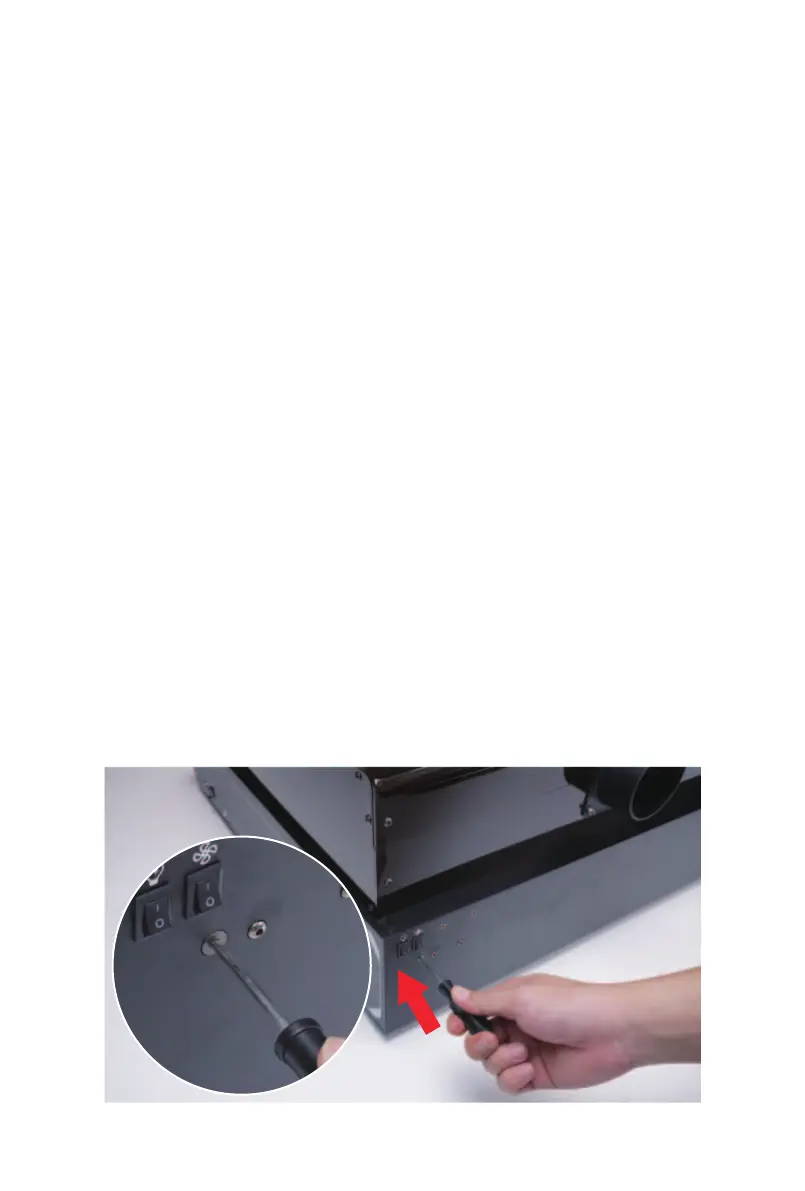
Use a screwdriver to turn the two screws on the back of
the machine (refer to the diagram for the specific loca-
tion). Turning the screws clockwise tightens the timing
belt. Turning the screws counter-clockwise loosens the
timing belt by pushing the screws inward. Note that the
tension on the two timing belts should be maintained as
consistent as possible.
Q4. How to adjust the timing belt tension



 To Next Page