
EasyManua.ls Logo

Acorn DC-360 - User Manual

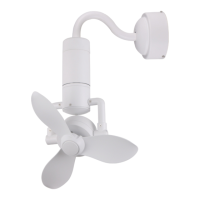
Acorn DC-360
16 pages
Print Icon
To Next Page IconTo Next Page
Loading...
Model: DC-360
Instruction Manual
Attention:
This appliance is not intended for use by persons (including children)
with reduced physical, sensory or mental capabilities or lack of
experience and knowledge unless they have been given supervision or
instruction concerning use of the appliance by a person responsible for
their safety. Children should be supervised to ensure that they do not
play with the appliance.

Questions and Answers

  • M
    Marc MortonAug 4, 2025
    How to fix an Acorn DC-360 remote control that's not working?
    • S
      Steven SmithAug 4, 2025
      If your Acorn Fan's remote control isn't working, consider these potential solutions: * Pair the remote and receiver, as they might be out of sync. * Install the remote control battery, if one is not already installed. * Change the battery if it is weak.
  • B
    Bonnie MillsAug 13, 2025
    What to do if my Acorn DC-360 Fan is not moving?
    • A
      Ana FrazierAug 13, 2025
      If your Acorn Fan isn't moving, there could be a few reasons. First, check the main cables to ensure they are connected and that the mains and sub-circuit breakers or fuses are in working order. Second, inspect the line wires and their connections to both the fan and the switch housing.
  • F
    Faith FletcherAug 25, 2025
    Why is my Acorn DC-360 so noisy?
    • M
      Mark ClarkAug 25, 2025
      If your Acorn Fan is making noise, here are a few things to check: 1. Tighten all screws, as a loose housing screw can cause noise. 2. Separate and neatly store all wire nut connections to prevent rattling. 3. Ensure the canopy is not touching or too close to the ceiling.

Summary

Safety Precautions

Important: Please Read Before Installation

Crucial instructions and warnings that must be read and understood before commencing installation.

Warning

Critical safety warnings to reduce the risk of personal injury and electric shock during operation.

Fan Structure Drawing (Hugger;Flush Mount)

Fan Structure Drawing (Wall Mount)

Method of Installation - Hugger;Flush Mount

Installation of Hanger Bracket

Step-by-step guide for securely installing the fan's hanger bracket to the ceiling.

Installation of Canopy

Instructions on how to attach the canopy to the main body of the fan.

Pre-fix the Fan

Wiring of Fan

Installation of Fan

Method of Installation - Wall Mount

Installation of Hanger Bracket

Steps for firmly mounting the fan's hanger bracket to a wall.

Installation of Downrod

Guide for attaching the downrod and decorative cover to the fan assembly.

Hanging of Fan

Wiring of Fan

Installation of Canopy

Installation of Fan Blades

Remote Control Manual (Wiring Diagram)

Remote Control Manual (Button Function)

Maintenance Tips

Warning

Crucial safety warning to disconnect power before attempting any repairs or electrical connections.

Troubleshooting

Notes

Acorn DC-360 Specifications

General IconGeneral
BrandAcorn
ModelDC-360
CategoryFan
LanguageEnglish