EasyManua.ls Logo

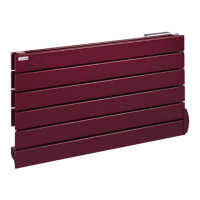
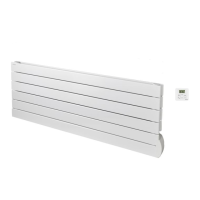
Acova FASSANE PREMIUM HORIZONTAL - User Manual

Acova FASSANE PREMIUM HORIZONTAL
45 pages
Go to English
Print Icon
To Next Page IconTo Next Page
Loading...
40019308
NOTICE D’UTILISATION
INSTRUCTION FOR USE
NOTICE D’UTILISATION
INSTRUCTION FOR USE
RF

Table of Contents

Questions and Answers

  • M
    Mr. William PinedaAug 3, 2025
    Why is my Acova FASSANE PREMIUM HORIZONTAL Heater not heating?
    • T
      Tyler SimsAug 3, 2025
      If your Acova Heater isn't heating, here's what to check: * Ensure the remote control is set to initiate heating. * Confirm the appliance has been properly filled with water. * If a load shedder is active, wait for it to finish. * If the pairing icon isn't on the remote, remove and reinsert the batteries to re-pair. * Disable the window opening detection if the icon is flashing. * If the LED is flashing yellow and other colors, contact your installer or after-sales service.
  • A
    Anthony WilsonAug 9, 2025
    What to do if my Acova FASSANE PREMIUM HORIZONTAL Heater is not working?
    • N
      nicoleshannonAug 9, 2025
      If your Acova Heater isn't working, make sure it's properly connected to a power source and turned on. Also, verify that the remote control is switched on. Check that the pilot wire unit is not sending a load shedding stop order.
  • M
    Madison WilliamsonAug 13, 2025
    How to unlock Acova FASSANE PREMIUM HORIZONTAL Heater remote control?
    • C
      Christopher ChaseAug 14, 2025
      If the remote control of your Acova Heater doesn't allow operations, the key lock might be enabled. To resolve this, disable the key locking feature.
  • B
    Benjamin WeaverAug 18, 2025
    Why does my Acova FASSANE PREMIUM HORIZONTAL keep heating when the window is open?
    • T
      Tiffany LewisAug 18, 2025
      If your Acova Heater continues to heat even when a window is open, it's likely that the 'Window detection' function isn't activated. To resolve this, activate the function.
  • B
    brownkennethAug 23, 2025
    How to fix communication problems between Acova Heater and remote control?
    • L
      Laura DayAug 23, 2025
      To address communication issues between your Acova Heater and its remote control, first, check that the pairing icon is displayed. Then, verify that the LED changes color according to the commands sent. Ensure that the appliance isn't controlled by a pilot wire unit. If these checks are positive, remove the batteries from the control for 10 minutes, then replace them.
  • L
    lynchamyAug 28, 2025
    Why does my Acova FASSANE PREMIUM HORIZONTAL Heater lose settings after a short powercut?
    • J
      Jessica ParkerAug 29, 2025
      The Acova Heater will automatically recover its settings in less than one hour.

Summary

1 Overview

1.1 Introduction

General welcome and advice to read instructions carefully for optimal use of the radiator.

1.2 Safety Warnings

Crucial safety precautions regarding children, hot surfaces, and general appliance usage.

1.3 Appliance Overview

Details about the appliance's construction, oil filling, and disposal considerations.

2 Installing Your Appliance

2.1 Installation Warnings

Essential safety warnings for electrical connection and installation compliance with standards.

2.2 Connecting the Appliance

Technical specifications and guidance on connecting the radiator to the power supply.

3 Using Your Dual-Energy Towel Radiator

3.1 Use as Central Heating

Instructions for operating the appliance in central heating mode, including valve operation.

3.2 Use as Electrical Heating

Procedure for using the appliance solely as an electric heater, including filling and safety checks.

4 Putting the Remote Control into Service

4.1 Fitting Batteries

Step-by-step guide for inserting batteries into the remote control unit.

4.2 Initial Pairing

Procedure to establish communication between the remote control and the heating appliance.

4.3 LED Status Indicators

Explanation of the LED colours on the receiver unit indicating operational status.

4.4 Remote Control Displays

Overview of the remote control interface and its various display modes.

4.5 Time and Date Setting

Instructions for setting the current time and date on the remote control.

5 Use of Remote Control

5.1 Operating the Remote Control

Basic operations like turning the remote on/off and locking the interface for child safety.

5.2 Operating Mode Selection

Guide to selecting modes like Frost-free, Eco, Comfort, and programmed P1/P2.

Pilot Wire Control

How to manage the appliance via pilot wire connection and its interaction with remote control.

5.3 Advanced Parameter Settings

Detailed configuration options for customizing appliance behavior via the remote control.

5.4 Temperature Sensor Selection

Choosing whether the room temperature is measured by the appliance or the remote control.

5.5 Temperature Calibration

Procedure to adjust the temperature reading for accurate room climate control.

5.6 Window Open;Close Detection

Enabling and understanding the function that saves energy when a window is open.

6 Heating Boost

Manual Boost Operation

How to activate and set the duration for temporary, high-power heating.

Programmed Boost Setup

Steps to schedule automatic heating boosts at specific times.

Running Programmed Boost

Details on how programmed boosts activate, operate, and can be managed.

7 Setting Daily Heating Programmes

Accessing Programme Settings

How to enter the programming mode for daily heating schedules P1 and P2.

Setting Hourly Schedules

Configuring Comfort or Eco modes for each hour to create custom heating programs.

Programming Navigation Tools

Functions for moving between days, quitting programming, and copying schedule data.

8 Maintenance and Troubleshooting Tips

8.1 Routine Maintenance

Recommendations for cleaning and care to ensure the appliance's longevity.

8.2 Troubleshooting Common Issues

A guide to diagnosing and resolving frequent problems with the appliance and remote.

8.3 Complete Reset Procedure

Steps to reset the appliance and remote control to their factory default settings.

Pilot Wire Troubleshooting

Specific solutions for problems related to pilot wire commands and operation.

8.4 Replacing Batteries

Instructions for safely replacing batteries in the remote control unit.

9 Services and Guarantee

After-Sales Service and Warranty

Information on contacting support, warranty coverage, and necessary details for service calls.

Acova FASSANE PREMIUM HORIZONTAL Specifications

General IconGeneral
TypeElectric Heater
ModelFASSANE PREMIUM HORIZONTAL
MountingWall-mounted
Voltage230V
Frequency50Hz
ThermostatElectronic thermostat
ColorWhite
MaterialSteel
Safety FeaturesOverheat protection
Power1000W / 2000W

Related product manuals