EasyManua.ls Logo

Across International AccuTemp-09 - User Manual

Default Icon
30 pages
Print Icon
To Next Page IconTo Next Page
Loading...
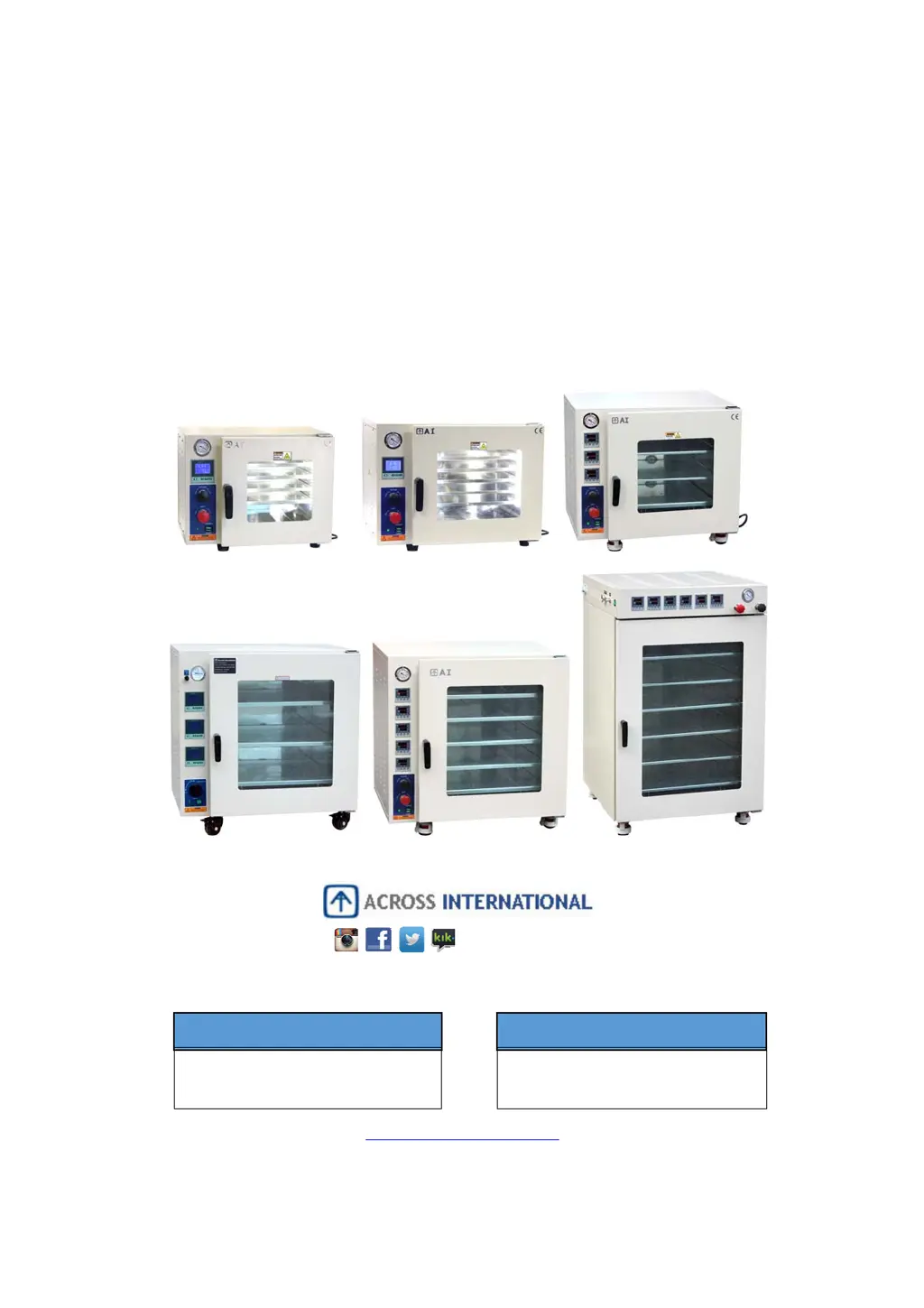
ACCUTEMP SERIES
VACUUM DRYING OVENS
USER’S MANUAL
www.AcrossInternational.com
AINEWJERSEY
111 DORSA AVE, LIVINGSTON NJ 07039
888-988-0899
SUPPORT@ACROSSINTERNATIONAL.COM
AINEVADA
1197 GREG ST, SPARKS, NV 89431
775-360-2332
SUPPORT@ACROSSINTERNATIONAL.COM
@AcrossIntl

Questions and Answers

  • R
    Roger ScottJul 25, 2025
    How to fix Across International Oven that cannot hold vacuum properly?
    • D
      Dawn DiazJul 26, 2025
      To troubleshoot vacuum issues with your Across International Oven, verify the following: * Ensure the vacuum port is open, the vent port is closed, and the pump is correctly connected to the vacuum port. * Inspect the door's sealing gasket for cleanliness, proper seating, splits, cracks, flattened or melted spots, or any other defects. * Check the door alignment to ensure it makes good contact with the gasket all around when closed. If necessary, apply a small amount of vacuum grease to the door gasket to check the contact. Realign the door if the grease doesn't transfer evenly to the glass when opened.
  • D
    Danny RiveraAug 2, 2025
    Why does my Across International AccuTemp-09 temperature keep overshooting?
    • H
      hgreenAug 2, 2025
      It's normal for Across International Oven temperatures to overshoot slightly before stabilizing, typically within 2 to 5 degrees. However, if the oven consistently overheats, consider the following: * Ensure the temperature controller isn't set much higher than the calibrated setting. * Always operate the oven under vacuum. * Recalibrate the oven using Auto Tune.
  • J
    Jessica BurtonAug 10, 2025
    What to do if Across International AccuTemp-09 vacuum gauge cannot reach 30 inches of mercury?
    • Y
      ysantiagoAug 10, 2025
      If your Across International Oven vacuum gauge struggles to reach 30 inches of mercury, verify that the vacuum pump is appropriately sized for your oven and receives adequate power. Also, check for significant off-gassing from samples and ensure the door is properly sealed. Your altitude relative to sea level also plays a role.
  • N
    Nicole PerryAug 17, 2025
    Why is there a difference between displayed and reference temperature in Across International Oven?
    • T
      Tina RossAug 17, 2025
      When verifying temperature in your Across International Oven with an independent thermocouple, remember that temperature stabilization takes time due to the absence of air. Shelves may be cooler than the walls during warm-up. Here’s what to consider: * Always maintain a vacuum. * Allow 1 to 4 hours for stabilization. * Attach probes to shelves with heat-resistant tape. * Readings should be within the uniformity tolerance specified. If shelves are too cool, increase the temperature setting until the parts on the shelves reach the desired temperature. You can also manually offset temperature differences in the advanced settings using the “Calibration by Formula” process.

Summary

PRECAUTIONS

SPECIFICATIONS

OVEN COMPONENTS

PREPARATION

OVEN OPERATION

Basic Settings: Temperature and Dwelling Time

Details how to set the target temperature and dwelling time using the controller.

AUTO TUNE (AT) CALIBRATION

Performing Auto-Tune Calibration

Step-by-step guide on how to execute the Auto Tune process for the oven.

Manual PID Adjustment Calibration

Details manual adjustment of PID values for fine-tuning temperature control.

ADVANCED SETTINGS (1-SEGMENT CONTROLLER)

MULTI-SEGMENT RAMP CONTROLLER OPERATION

Multi-Segment Controller Operation

Explains the basic operation and button functions of the multi-segment controller.

Multi-Segment Controller Auto-Tune

Details the process of performing Auto-Tune for the multi-segment controller.

ADVANCED SETTINGS (MULTI-SEGMENT CONTROLLER)

TROUBLESHOOTING

Oven Temperature Overshooting

Addresses consistent temperature overshoot and potential causes and solutions.

Display vs. Reference Temperature Differences

Explains discrepancies between displayed and actual temperature and how to resolve them.

Vacuum Holding Issues

Provides steps to troubleshoot problems with the oven's ability to maintain vacuum.

Ultimate Vacuum Gauge Readings

Troubleshooting low ultimate vacuum readings and factors affecting them.

Troubleshooting: No Power

Lists reasons and solutions for the oven not receiving power.

Troubleshooting: Unit Failure to Heat

Diagnoses issues when the oven fails to heat up, covering sensors, controllers, and elements.

Troubleshooting: Temperature Control Failure

Addresses temperature control failures, including sensor connections and controller issues.

MAINTENANCE

ULTIMATE VACUUM LEVELS AT DIFFERENT ALTITUDES

SCHEMATICS AND CONTROLLER CONNECTION

Across International AccuTemp-09 Specifications

General IconGeneral
BrandAcross International
ModelAccuTemp-09
CategoryOven
LanguageEnglish

Related product manuals