EasyManua.ls Logo

Across International AccuTemp-75 - User Manual

Default Icon
30 pages
Print Icon
To Next Page IconTo Next Page
Loading...
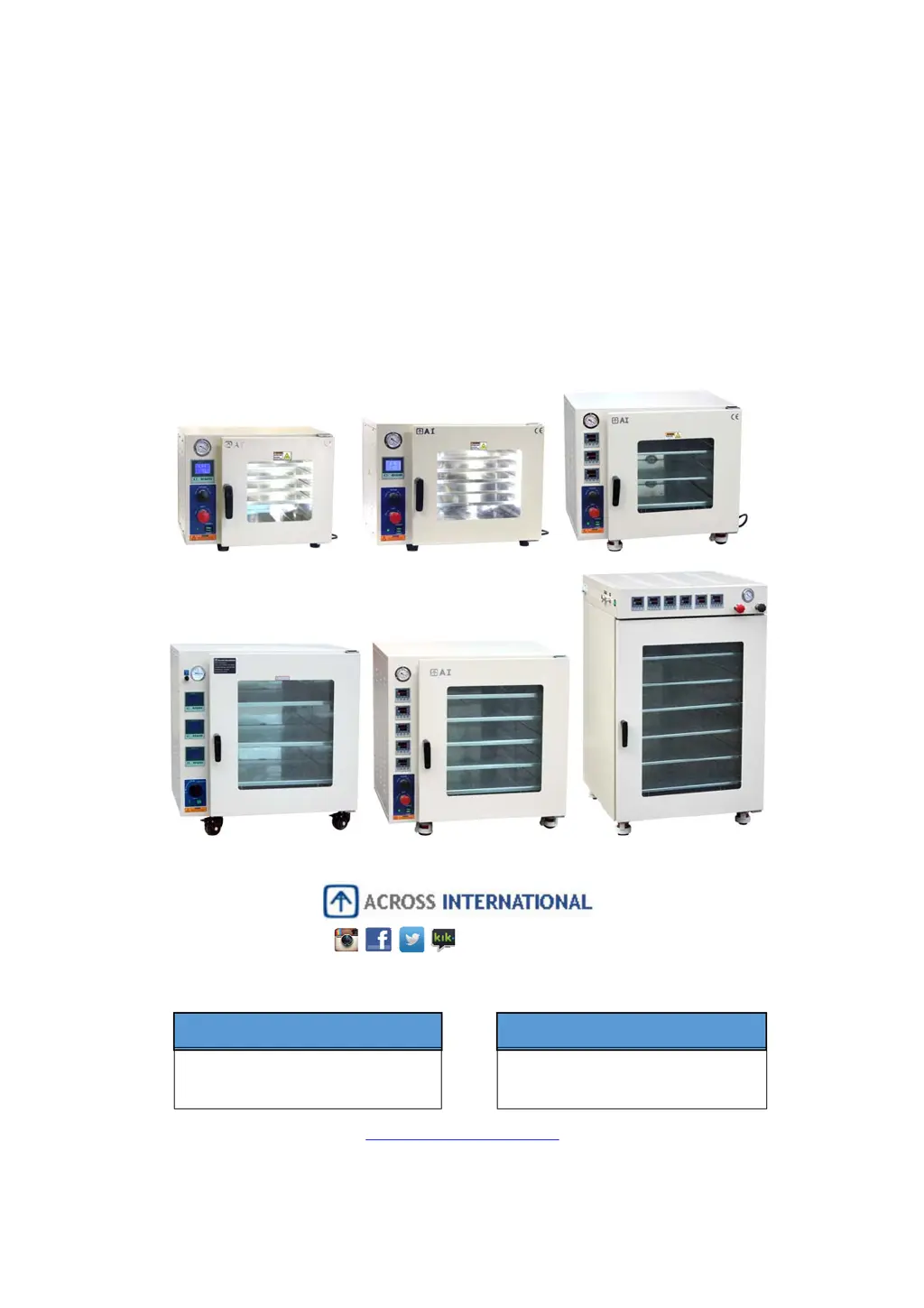
ACCUTEMP SERIES
VACUUM DRYING OVENS
USER’S MANUAL
www.AcrossInternational.com
AINEWJERSEY
111 DORSA AVE, LIVINGSTON NJ 07039
888-988-0899
SUPPORT@ACROSSINTERNATIONAL.COM
AINEVADA
1197 GREG ST, SPARKS, NV 89431
775-360-2332
SUPPORT@ACROSSINTERNATIONAL.COM
@AcrossIntl

Questions and Answers

  • K
    Keith WatkinsJul 25, 2025
    How to fix Across International AccuTemp-75 Oven that cannot hold vacuum properly?
    • J
      Jeffrey JohnsonJul 25, 2025
      To troubleshoot vacuum issues with your Across International Oven, verify the following: * Ensure the vacuum port is open, the vent port is closed, and the pump is correctly connected to the vacuum port. * Inspect the door's sealing gasket for cleanliness, proper seating, splits, cracks, flattened or melted spots, or any other defects. * Check the door alignment to ensure it makes good contact with the gasket all around when closed. If necessary, apply a small amount of vacuum grease to the door gasket to check the contact. Realign the door if the grease doesn't transfer evenly to the glass when opened.
  • C
    Christian BeasleyAug 1, 2025
    Why does my Across International AccuTemp-75 Oven temperature keep overshooting?
    • B
      Brian BakerAug 2, 2025
      It's normal for Across International Oven temperatures to overshoot slightly before stabilizing, typically within 2 to 5 degrees. However, if the oven consistently overheats, consider the following: * Ensure the temperature controller isn't set much higher than the calibrated setting. * Always operate the oven under vacuum. * Recalibrate the oven using Auto Tune.
  • M
    Michael OconnorAug 8, 2025
    What to do if Across International Oven vacuum gauge cannot reach 30 inches of mercury?
    • R
      Richard ThompsonAug 8, 2025
      If your Across International Oven vacuum gauge struggles to reach 30 inches of mercury, verify that the vacuum pump is appropriately sized for your oven and receives adequate power. Also, check for significant off-gassing from samples and ensure the door is properly sealed. Your altitude relative to sea level also plays a role.
  • K
    kristamathewsAug 17, 2025
    Why is there a difference between displayed and reference temperature in Across International AccuTemp-75 Oven?
    • K
      Kelly EdwardsAug 17, 2025
      When verifying temperature in your Across International Oven with an independent thermocouple, remember that temperature stabilization takes time due to the absence of air. Shelves may be cooler than the walls during warm-up. Here’s what to consider: * Always maintain a vacuum. * Allow 1 to 4 hours for stabilization. * Attach probes to shelves with heat-resistant tape. * Readings should be within the uniformity tolerance specified. If shelves are too cool, increase the temperature setting until the parts on the shelves reach the desired temperature. You can also manually offset temperature differences in the advanced settings using the “Calibration by Formula” process.

Summary

Safety Precautions

Introduction

Oven Features

Highlights key features of the AccuTemp Desktop and Shelf-Heat series vacuum ovens.

Technical Specifications

Oven Components Overview

Oven Preparation

Vacuum Operation Best Practices

Essential guidelines for performing vacuum operations correctly and safely.

Using the Vacuum Oven

Detailed instructions for sample placement, temperature setting, and drying procedures.

Oven Operation

Target Temperature and Dwelling Time Setup

Step-by-step guide to setting target temperature and dwelling time for oven operation.

Auto Tune (AT) Calibration

Understanding Auto Tune (AT)

Explanation of the Auto Tune process and its benefits for oven performance.

When to Perform Auto Tune

Conditions requiring or recommending the performance of the Auto Tune function.

Auto Tune Calibration Procedure

Detailed steps for performing the standard Auto Tune calibration process.

Formula Calibration Method

Manual calibration method using an offset value calculation and formula.

Manual PID Adjustment

Adjusting PID values manually for fine-tuning temperature control after auto-tune.

Advanced Settings (1-Segment Controller)

Multi-Segment Controller Operation

Multi-Segment Controller Components

Identification and description of the components of the multi-segment controller.

Operating the Multi-Segment Controller

Detailed instructions for operating the multi-segment ramp temperature controller.

Multi-Segment Controller Auto-Tune

Guide for performing Auto-Tune specifically for the multi-segment controller.

1-Segment Controller Advanced Settings

Accessing and configuring advanced settings for the 1-segment controller.

Troubleshooting

Temperature Control Troubleshooting

Covers oven temperature overshooting and display discrepancies.

Vacuum Holding Troubleshooting

Troubleshooting steps for the oven's inability to maintain a proper vacuum.

Vacuum Gauge Troubleshooting

Solutions for the vacuum gauge failing to reach the specified ultimate vacuum level.

Maintenance

Routine Maintenance Procedures

Covers pump maintenance, gasket inspection, cleaning, and storage guidelines.

Vacuum Levels by Altitude

Pressure vs. Vaporization

Parts List

Schematics and Connections

Oven Wiring Diagrams

Electrical schematics and wiring diagrams for the vacuum oven controller.

Oven Circuit Diagrams

Detailed circuit diagrams for different AccuTemp models.

Warranty

Across International AccuTemp-75 Specifications

General IconGeneral
BrandAcross International
ModelAccuTemp-75
CategoryOven
LanguageEnglish

Related product manuals