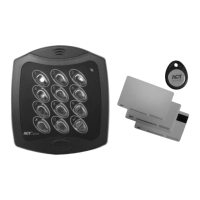
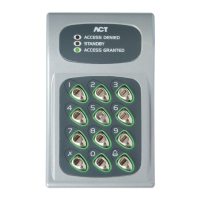
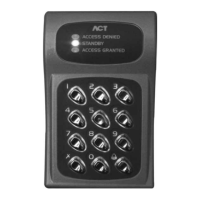
Digital & Proximity Keypads
The ACT 5 and the ACT 5prox are simple to use and
easy to install standalone access control products.
Keypad backlighting enhances functionality at night
or in poor light conditions.
Each unit is contained in a stylish polycarbonate
housing, with stainless steel keys and potted
electronics, allowing for indoor and outdoor
installation. The ACT 5 and the ACT 5prox may be
surface or fl ush mounted on to a standard single
gang electrical back box.
ACT 5 Digital Keypad
Main Features
10 User Codes •
Keypad Backlighting•
Incorrect code lockout •
5 amp door relay output•
ACT 5prox Digital Keypad and Proximity
Main Features
50 Users with unique Pin Codes and / or •
ACTProx Cards. Operating modes are Proximity,
PIN and Proximity or PIN only.
Keypad Backlighting•
Incorrect code lockout •
5 amp door relay output •
Users can be deleted if a card is lost or a Pin •
Code forgotten
Installation Guidelines
12 to 24 volts AC or DC supply required•
5 amp lock output •
Can be installed either indoors or outdoors (IP67) •
Operating Temperture: -10 to +50 C •
Can be surface or fl ush mounted•
ACT 5 Digital Keypad
ACT 5prox Digital Keypad & Proximity
PSU
EXIT
220/240 Volts AC
12/24 Volts AC/DC
ACT 5 and ACT 5prox System Schematic
ACT 5 & ACT 5prox

 Need help?

 To Next Page
 General