Technical description
24 – EN ACT 600 – 5000
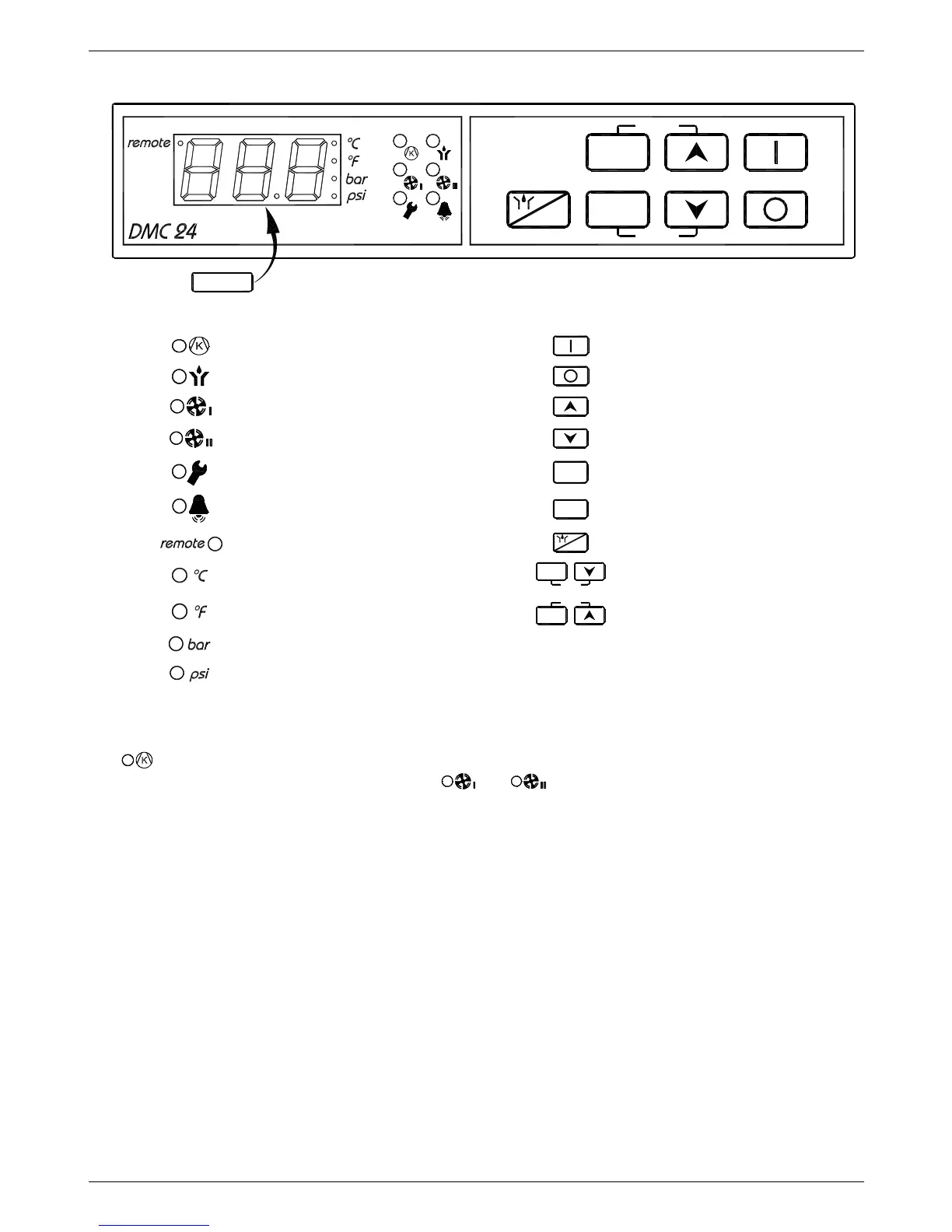
7.15 Electronic instrument DMC24
info
set
log
reset
ESC
P
Q
S
0
0
4
6
DISPLAY
LED BUTTON
Compressor ON – green
ON
Drain ON – green
OFF
Fan 1 ON – green
Increase
Fan 2 ON – green
Decrease
Service warning – orange
log
Log
Alarm – red
info
Info menu
Remote control enabled
ESC
Drain test / ESC
Temperature in °C
info
set
Setup menu on
Temperature in °F
log
reset
Reset alarms and/or service
Pressure in barg
Pressure in psig
The DMC24 controls all the operations, alarms and dryer operation set-up. The display and the leds show all
the operating conditions.
Led
shows that the compressor is ON.
The operation of the fans is indicated by the leds
and .
During normal operation the display shows the DewPoint temperature.



 To Next Page