Hardware Manual
9
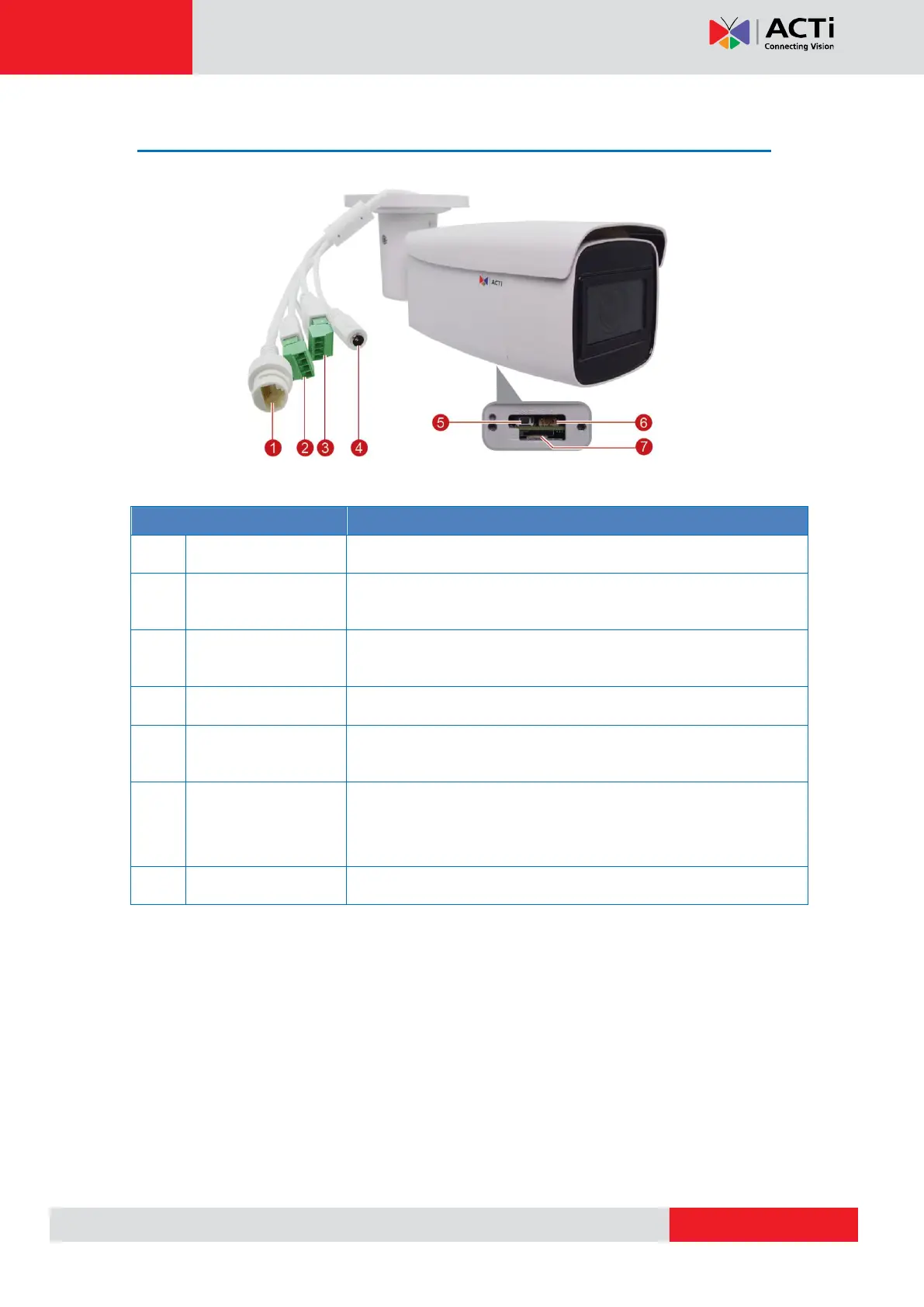
Physical Description
Connects to a network using a standard Ethernet cable.
Connects to digital input and output device, such as an alarm
trigger, panic button, LED light, etc.
Connects to an audio input and output device, such as a
microphone and speaker.
Connects to an external DC 12V power adapter.
Press and hold the reset button to restore the camera factory
default settings.
Connects to a video output device, such as a camera installation
kit or monitor for testing. Use the bundled video output connector
to connect to an external monitor.
Insert a memory card into the slot for local recording.



 To Next Page