0-3
the power cable while continuing to hold the reset button.
Step 3: Keep holding the reset button depressed for a while,
release the reset button. The unit will start up with factory default
settings.
4. Audio Input / Output
The IP device supports audio input and output with terminal
block.
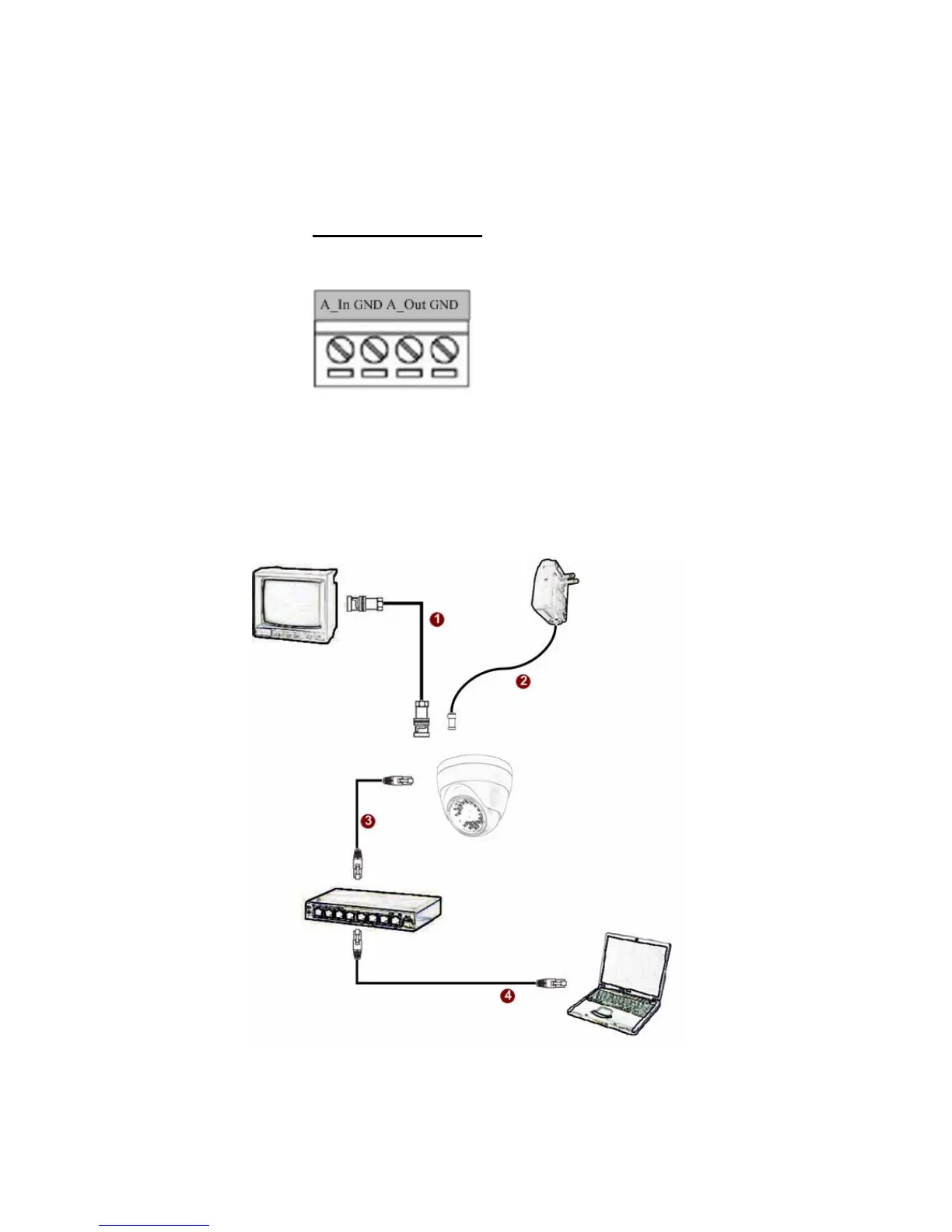
1.3 BASIC CONNECTIONS
Follow the procedures below to connect the IP device to the respective
apparatuses.


 To Next Page