1-7
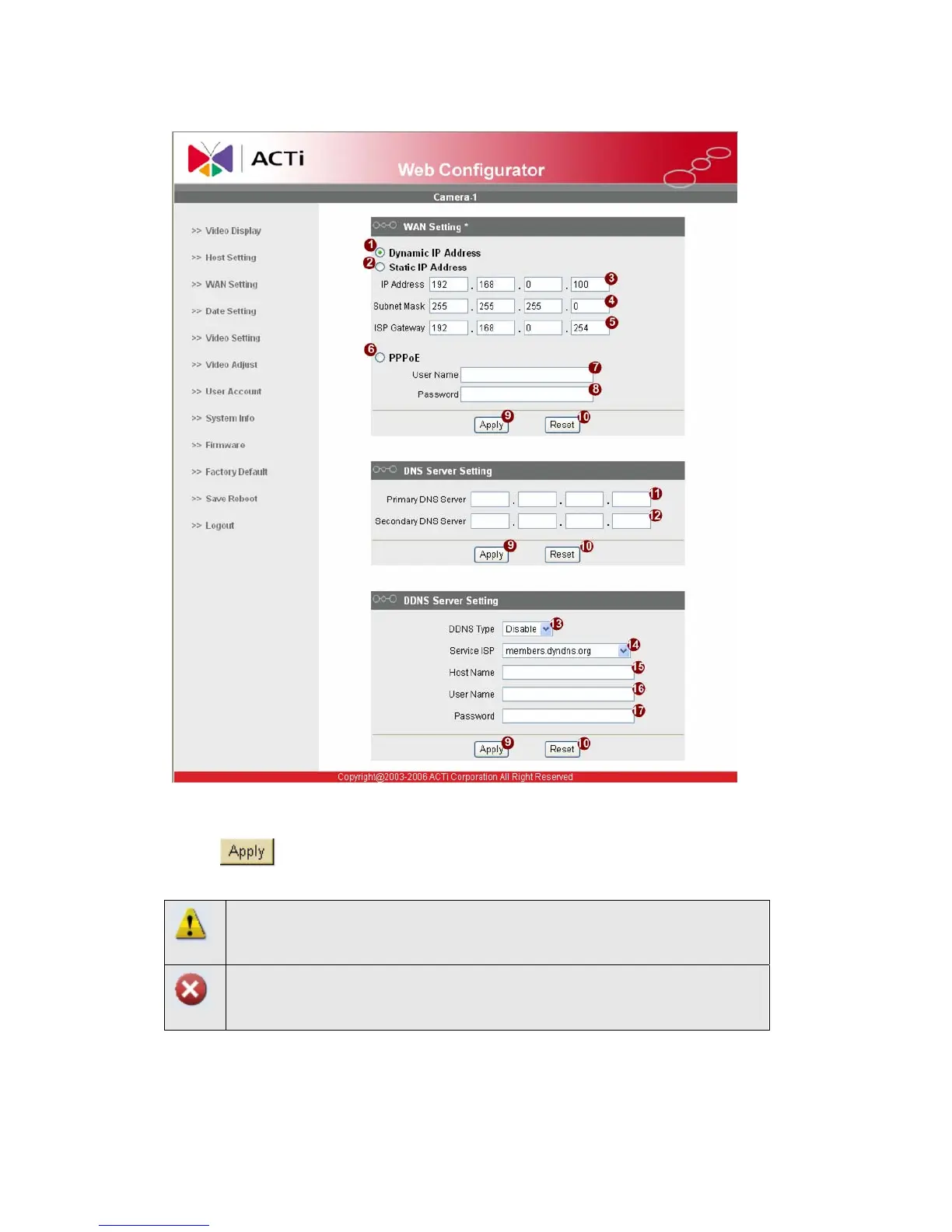
2.1.5 Set the new IP address
*IP Address : The default IP address is 192.168.0.100.
*Subnet Mask : The default subnet mask is 255.255.255.0
*Click
button
NOTE: In your Client PC, please make sure the setting of Network
Connections Type is set to Auto Negotation, since this IP device follows
MII standard. Otherwise, you might not see the live image.
IMPORTANT: After the IP address is changed, please record this IP
address. There’s no way to connect to the IP device if user forgets the
new IP address.


 To Next Page