Hardware Manual
34
Other Adjustments and Accessories
How to Remove / Install the Camera Module
How to Remove the Camera Module
The camera module must be removed from the housing in the following situations:
To install a memory card (for B94~B97 models only)
To connect a digital input / output device
To connect an audio input / output device
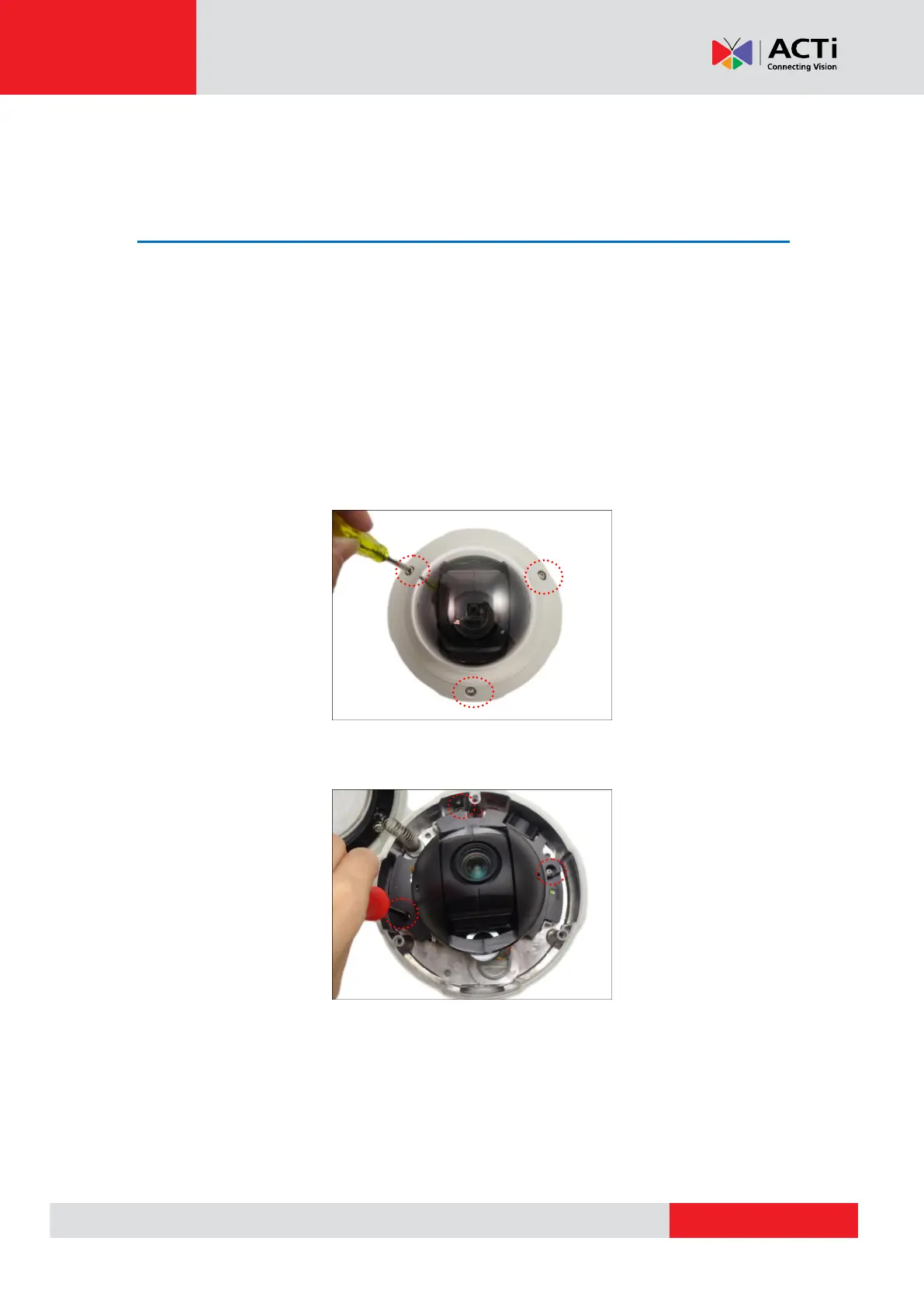
Perform the steps below to remove the camera module from the housing.
1. Using the bundled hex screwdriver, loosen the three (3) screws to open the dome cover.
2. Using a standard Phillips screwdriver, loosen the three (3) screws securing the camera
module.
3. Lift to remove the camera module from the housing.



 To Next Page