Hardware Manual
23
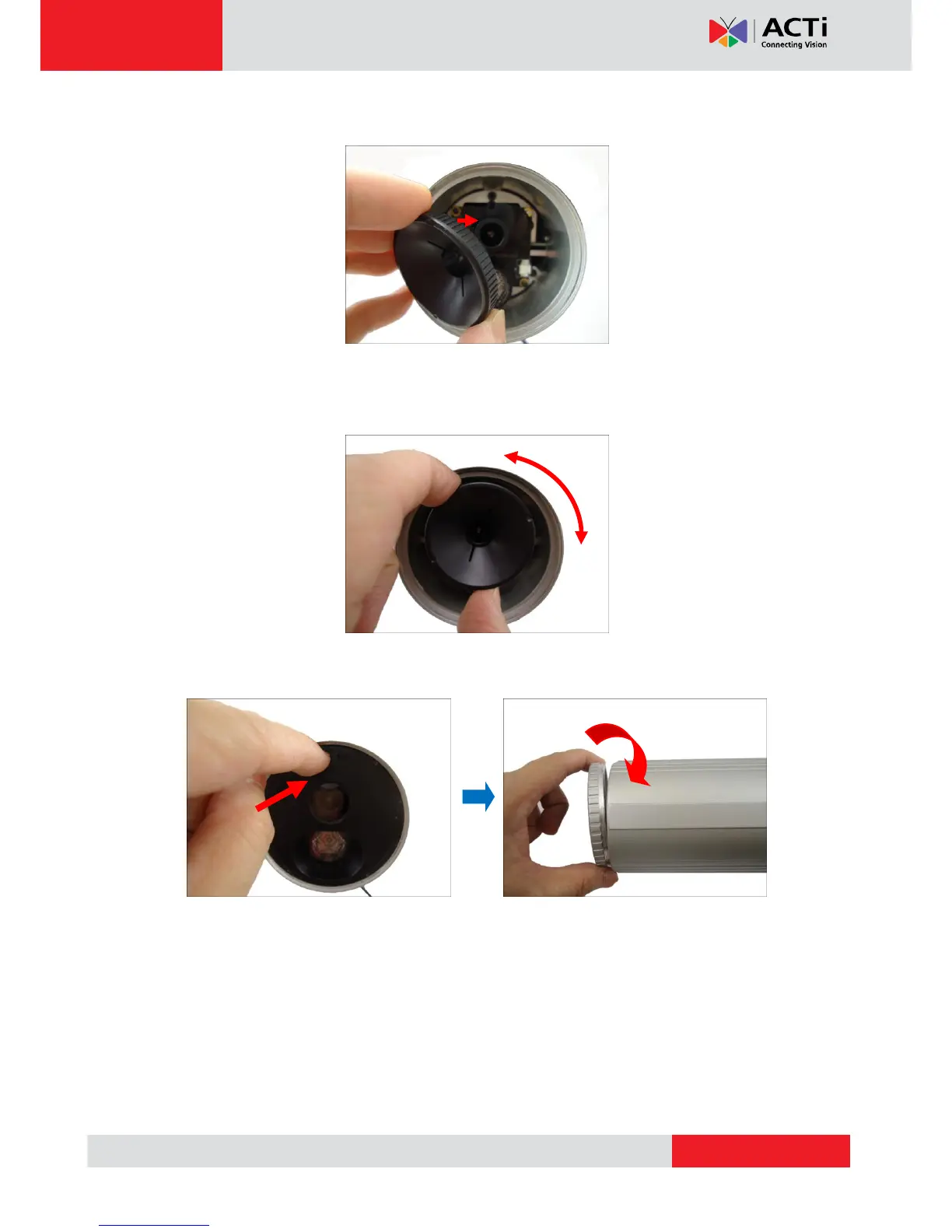
3. Attach the lens focus tuner to the lens.
4. Adjust the focus based on the live view of the camera (see Accessing the Camera on
page 15 to view the camera).
5. When done, attach the front cover and the front cover ring.
CAUTION: The front cover and front cover ring must be tightly closed to ensure water or
dust does not go through any opening.



 To Next Page