Installation Guide
6
Step 3: Unpack the Camera
NOTE: To avoid scratches or leaving fingerprints on the dome cover, it is recommended to retain
the plastic covering the dome cover until the camera is completely installed.
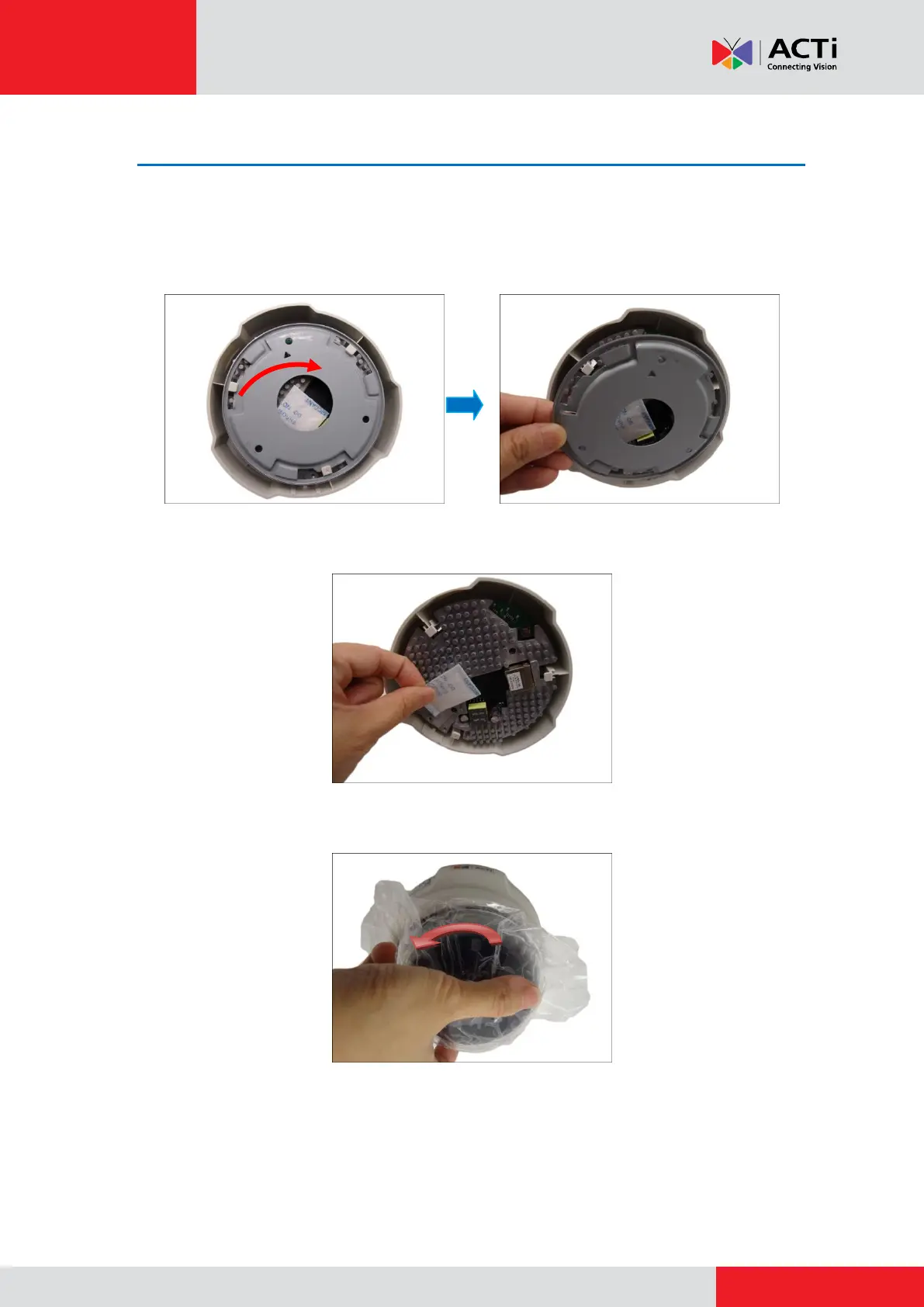
1. Slide the mounting plate counter-clockwise to detach it from the camera.
2. Remove the silicon bag.
3. Slide the dome cover counter-clockwise to remove the cover from the camera.



 To Next Page