Hardware Manual
17
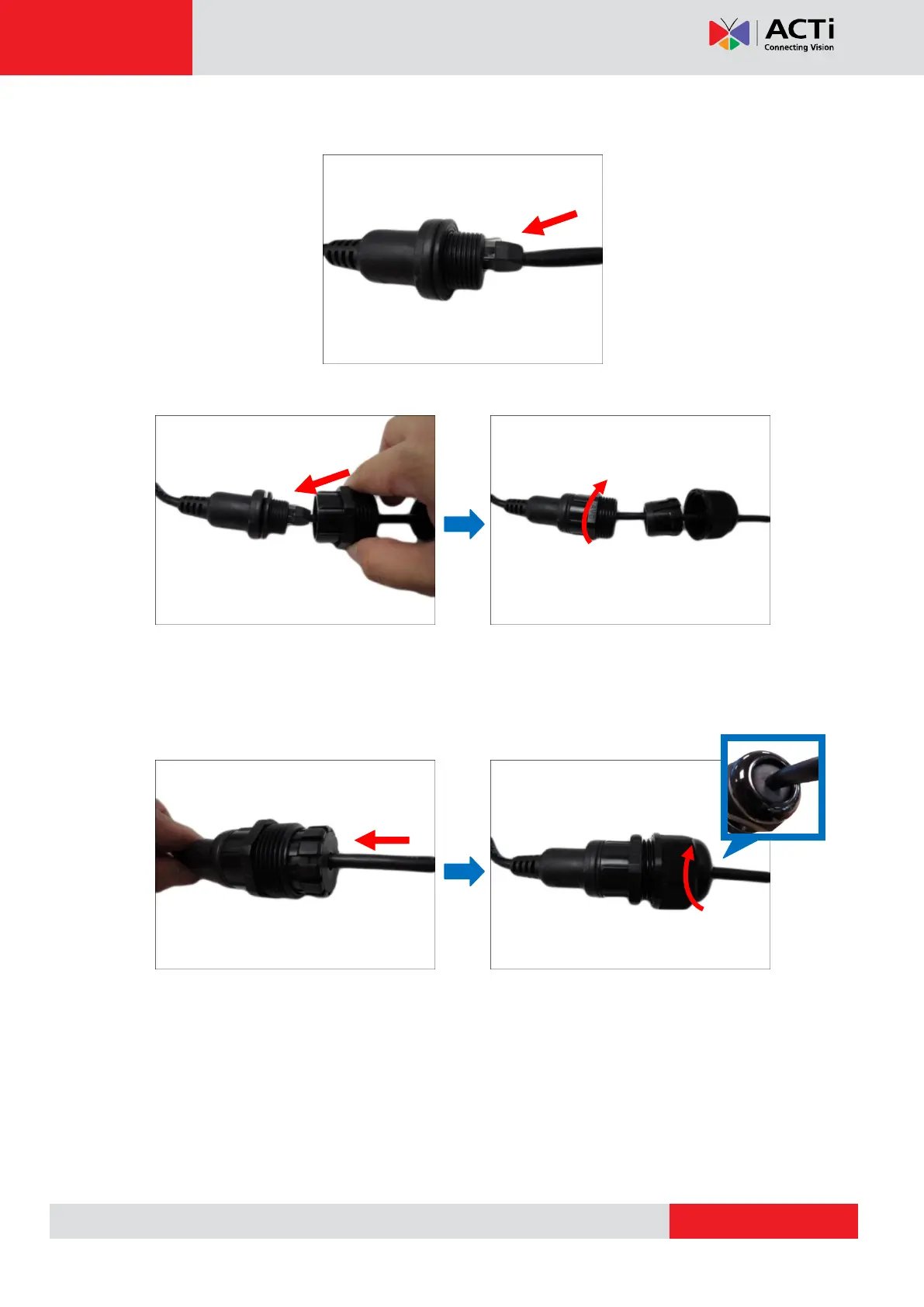
6. Connect the Ethernet cable connector to the “pigtail” connector.
7. Attach the gland body to the “pigtail”.
NOTE: Make sure the gland body is tightly attached to the “pigtail” and the washer is
secured between them.
8. Insert the sealing insert into the cable gland body and then attach the clamping nut to
complete the cable solution.
NOTE: Make sure the clamping nut is tightly attached to the cable gland body and the
sealing insert is squeezed tightly.


 To Next Page