Hardware Manual
26
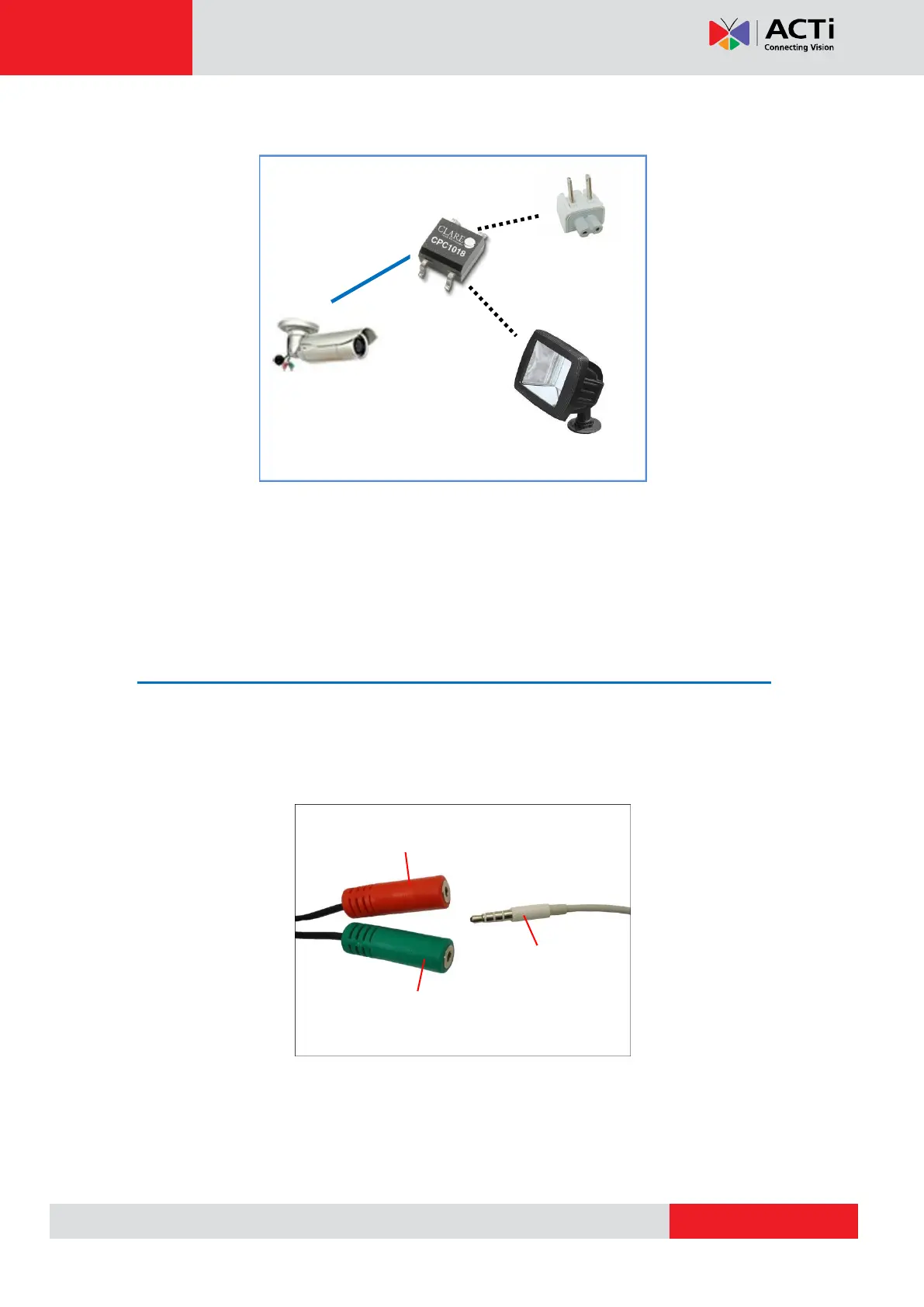
The illustration below is a graphic example of connecting a relay to a high voltage DO device.
110V-220V AC
External Power
Source
NOTE: For more information on DI/DO connections, please refer to the Knowledge Base
article All about Digital Input and Digital Output downloadable from the link below
(http://www.acti.com/kb/detail.asp?KB_ID=KB20091230001).
How to Connect Audio Input / Output Devices
(Optional)
If using an audio input device, such as a microphone with a built-in amplifier, connect the
device to the Audio Input jack (RED) of the camera. If using an audio output device, such as a
speaker, connect the device to the Audio Output jack (GREEN) jack of the camera.
NOTE 1: Make sure that the connected audio input device has a built-in amplifier. Connecting
an ordinary microphone will dwarf sounds and will result in inaudible recording.
NOTE 2: If the audio connectors will not be used, leave the rubber caps on to ensure cables
remain waterproof and eliminate short-circuit hazards.


 To Next Page