Hardware Manual
13
Step 2: Mount the Camera
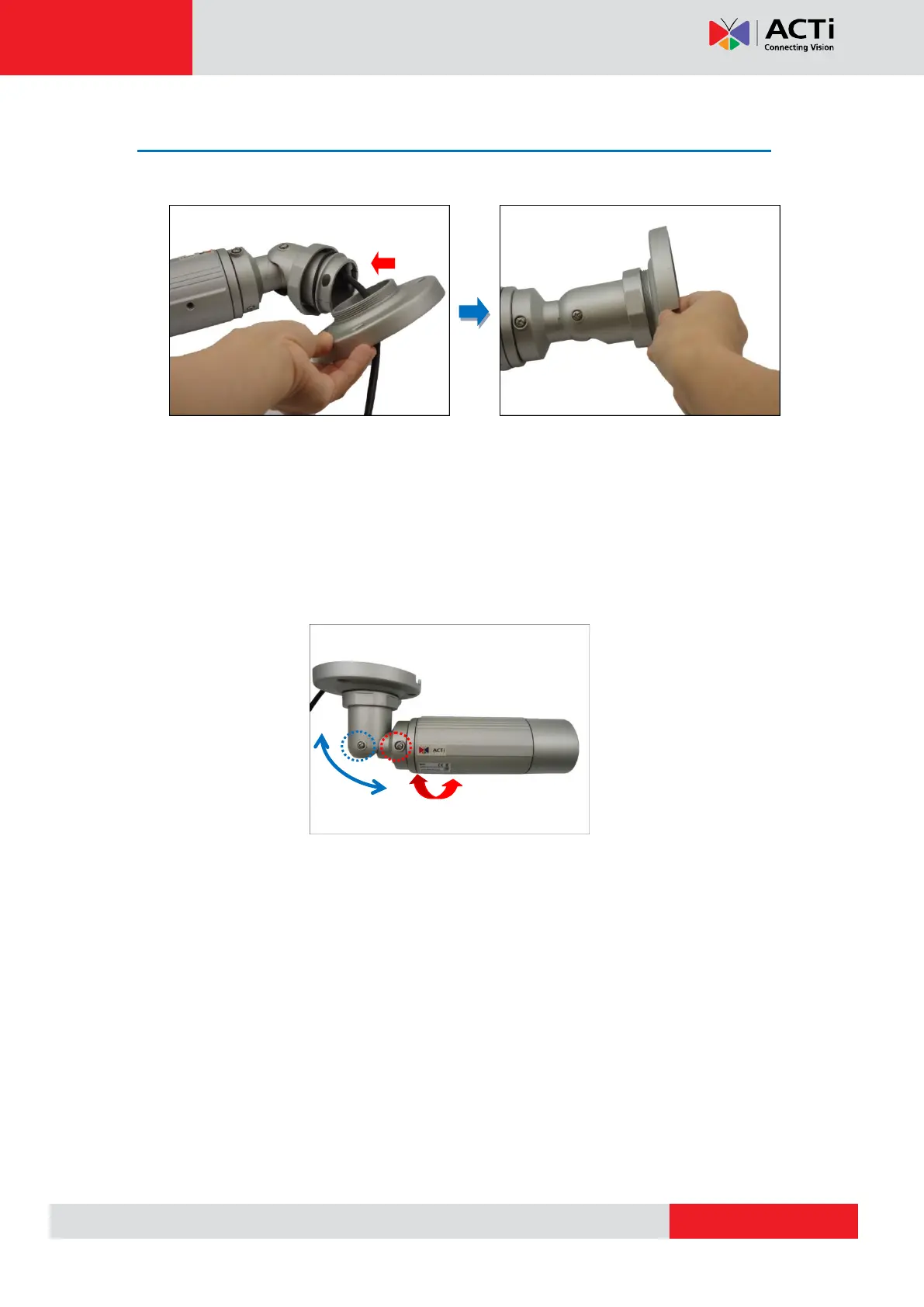
1. Attach the bracket to the camera.
2. Mark the location of the screw holes based on the drill template included in the package.
NOTE: Depending on the surface where you will install the camera, it may be necessary to
drill three (3) holes and use the supplied screw tox.
3. Attach the camera to the surface using the three (3) supplied screws.
4. Adjust the camera installation angle and orientation, and then tighten the two (2) screws to
fix its position.


 To Next Page