Home
ACTi
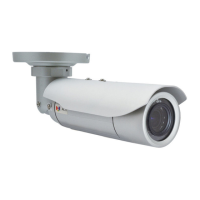
Bullet camera
E44A
Page 39
ACTi E44A - Page 39
39 pages
Manual
Save Page as PDF
To Previous Page
To Previous Page
Loading...
Copyright © 2014, A
CTi
Corporation
All Rights Reserved
7F
, No. 1,
Alley 20, Lane 407, Sec. 2, Ti-Ding Blvd., Neihu District, T
aipei
, T
aiwan 1
14, R.O.C.
TEL
: +886-2-2656-2
588
F
AX
: +886-2-265
6-2599
Email: sales@acti.c
om
38
Table of Contents
Main Page
Default Chapter
2
Table of Contents
2
Precautions
4
Safety Instructions
6
Introduction
7
List of Models
7
Package Contents
8
Physical Description
9
Installation Procedures
10
Step 1: Insert the Memory Card (Optional)
10
Step 2: Mount the Camera
13
Step 3: Waterproof and Connect the Cable(S)
14
How to Use the Cable Gland
15
How to Use the Conduit Gland
18
Step 4: Connect to Network
22
Step 5: Access the Camera Live View
22
Other Connections
23
How to Connect DI/DO Devices (Optional)
23
How to Connect Audio Input / Output Devices (Optional)
26
Other Adjustments and Accessories
27
Adjust the Viewing Angle
27
Attach the Sunshield
28
Reset the Camera
29
How to Reset the Camera
29
Accessing the Camera
33
Configure the IP Addresses
33
Using DHCP Server to Assign IP Addresses
33
Using the Default Camera IP Address
35
Access the Camera
37
Other manuals for ACTi E44A
Installation Guide
35 pages


 To Previous Page