Standalone NVR Quick Installation Guide 7
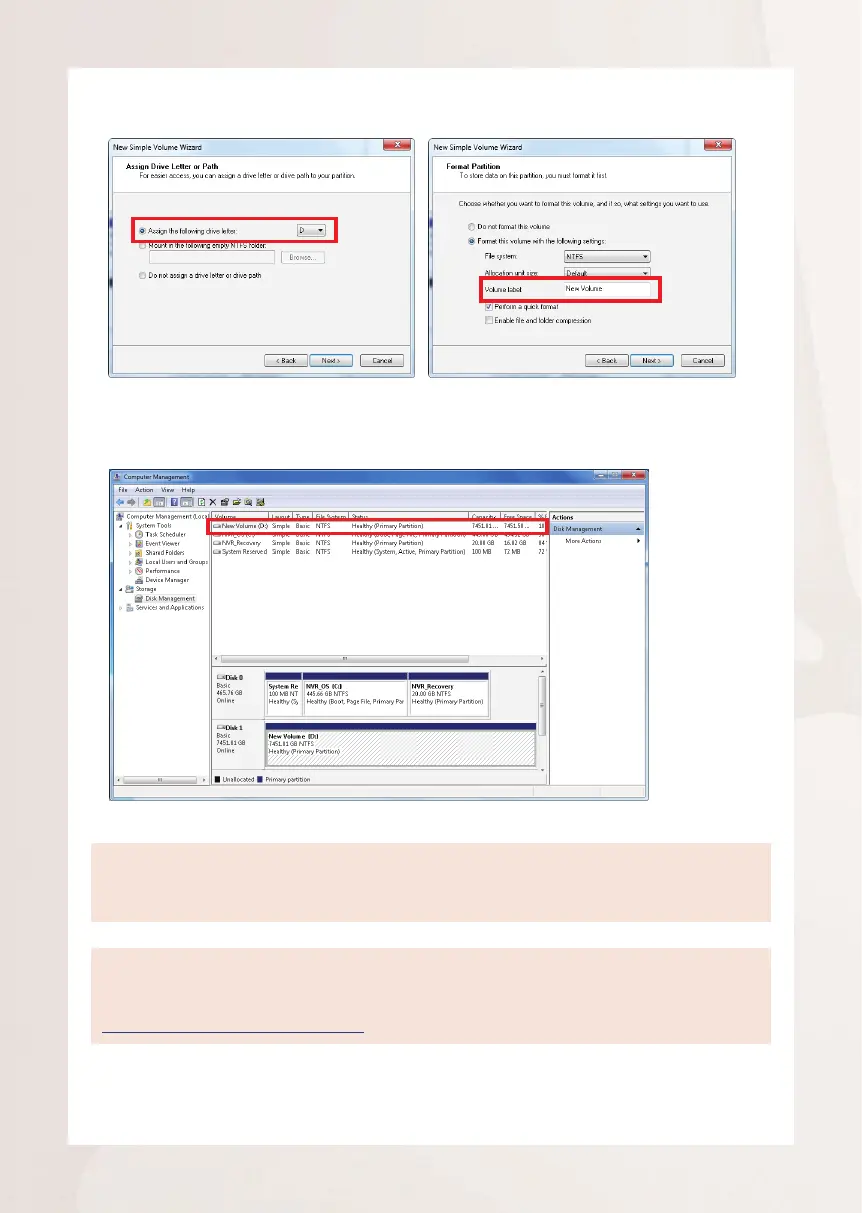
4. On New Volume Wizard window, make sure you assign the desired drive letter
and give a proper label name to this volume.
Note
TomakeaStripedvolume,aMirroredvolumeoraRAID-5volume,itisrecommendedtoselect
disks of the same model and capacity.
Note
For detailed instructions on choosing the RAID types and troubleshooting hard disk issues,
please refer to System Administrator’s manual provided on ACTi Download Center at
http://www.acti.com/downloadcenter
5. After the volume is created, it is shown on volume list and is ready for
recording.



 To Next Page