TCD-2100 Hardware User’s Manual
14
4. Open Internet Explorer (Version 6.0 or above) , and type in the Default IP:
192.168.0.100
5. When you see the login window, please input default user and password:
Default User: Admin Password: 123456
6. After logging in, you will see the video from camera. To go to the main menu, click
the ”Setup” button on the top left.
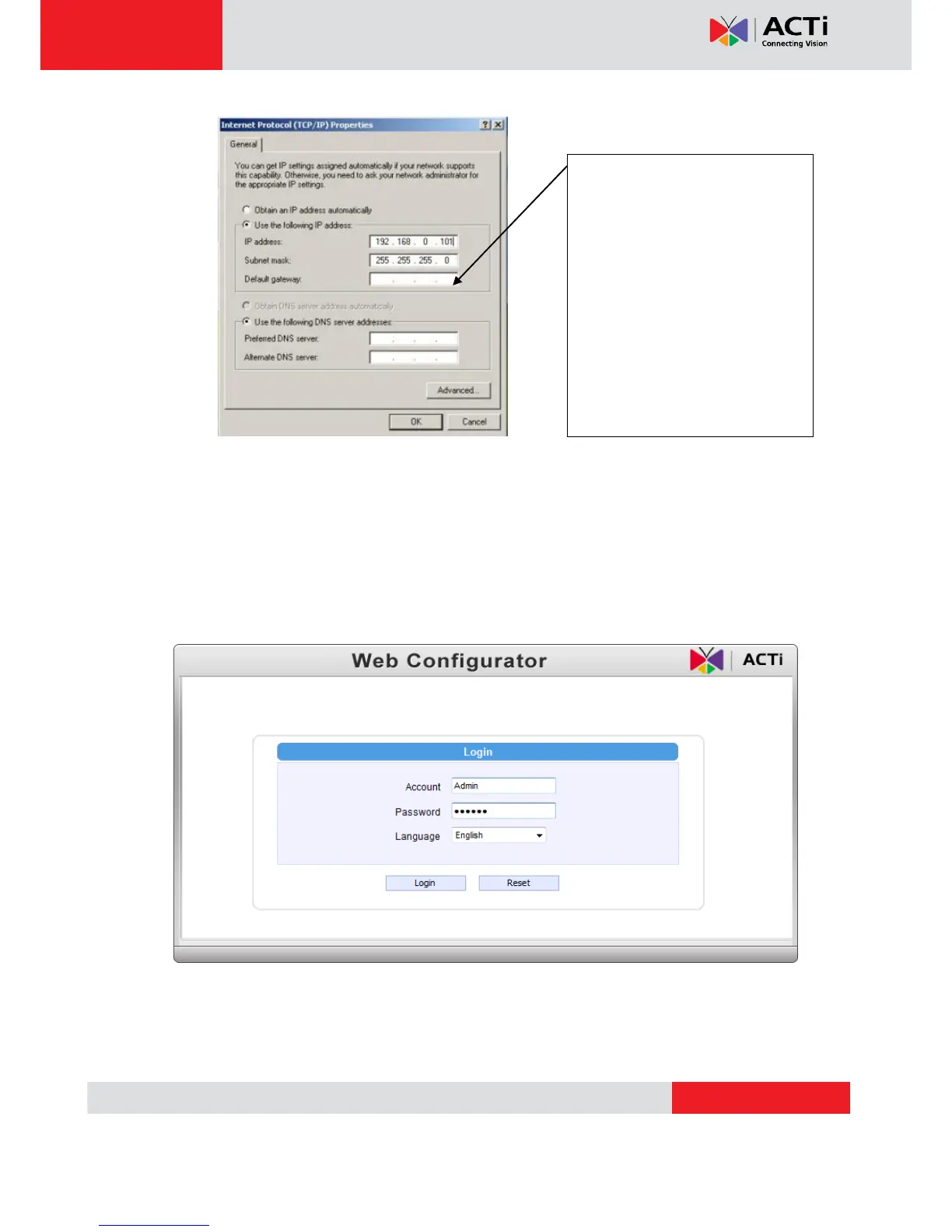
Please set the settings as below.
IP address: 192.168. 0.xxx
Subnet mask: 255.255.255.
0
(NOTE: xxx should be a number
from 1 to 254 except 100, which is
used by the IP device. Please also
make sure that no two equipments
use the same IP address in the
same network..)


 To Next Page