TCD-2100 Hardware User’s Manual
8
Physical description
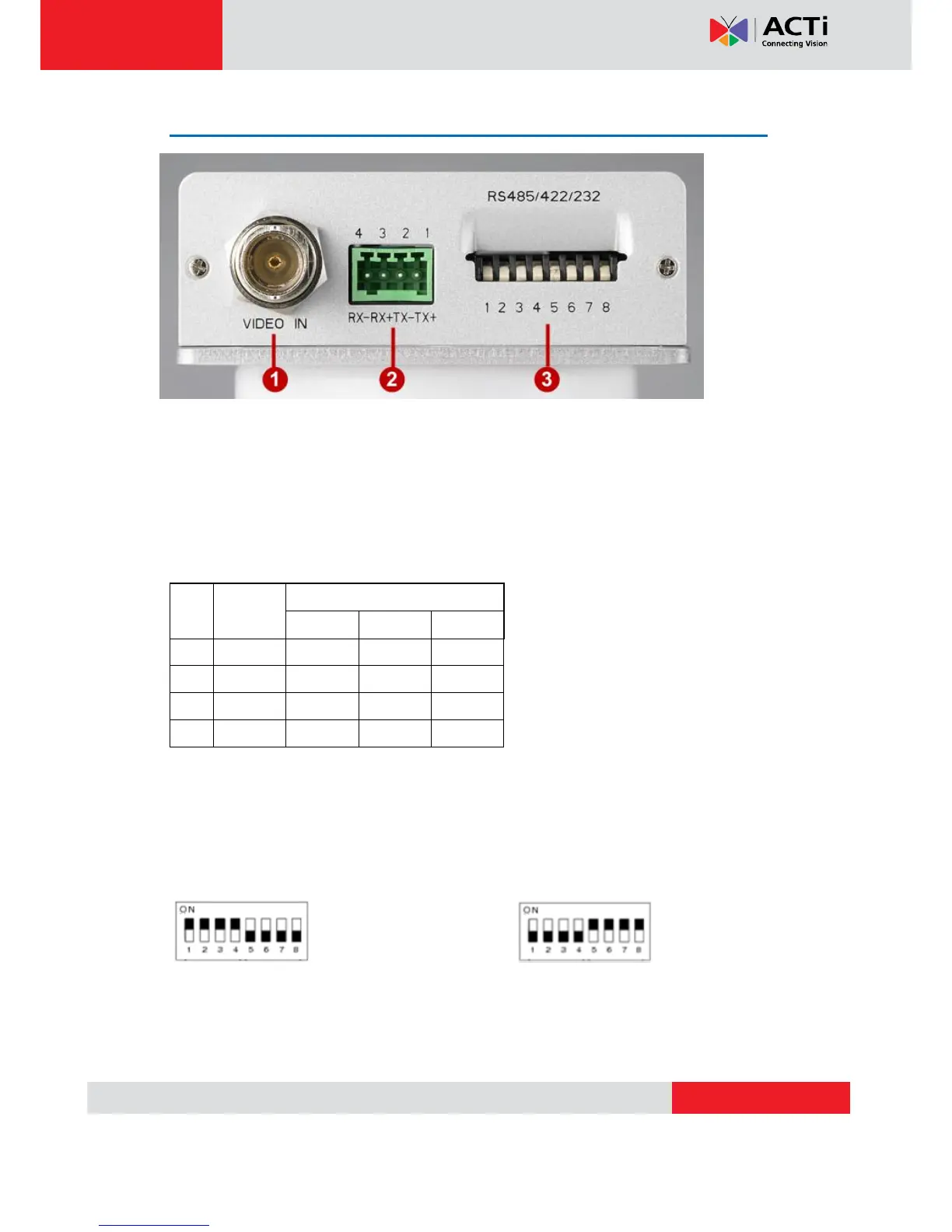
1) Video Input / Output
The IP device allows one analog input of composite signals with BNC connectors.
2) Serial Port Connection via Terminal Block
Connect your serial port devices to the terminal block according to this table.
3) Dip Switch for Serial Port Configuration
The same terminal connections can be used for different protocols. Select which protocol to
use via this Dip Switch.
RS-485 or RS-222 (Default is RS-485) RS-232 pin define


 To Next Page