TCD-2100 Hardware User’s Manual
16
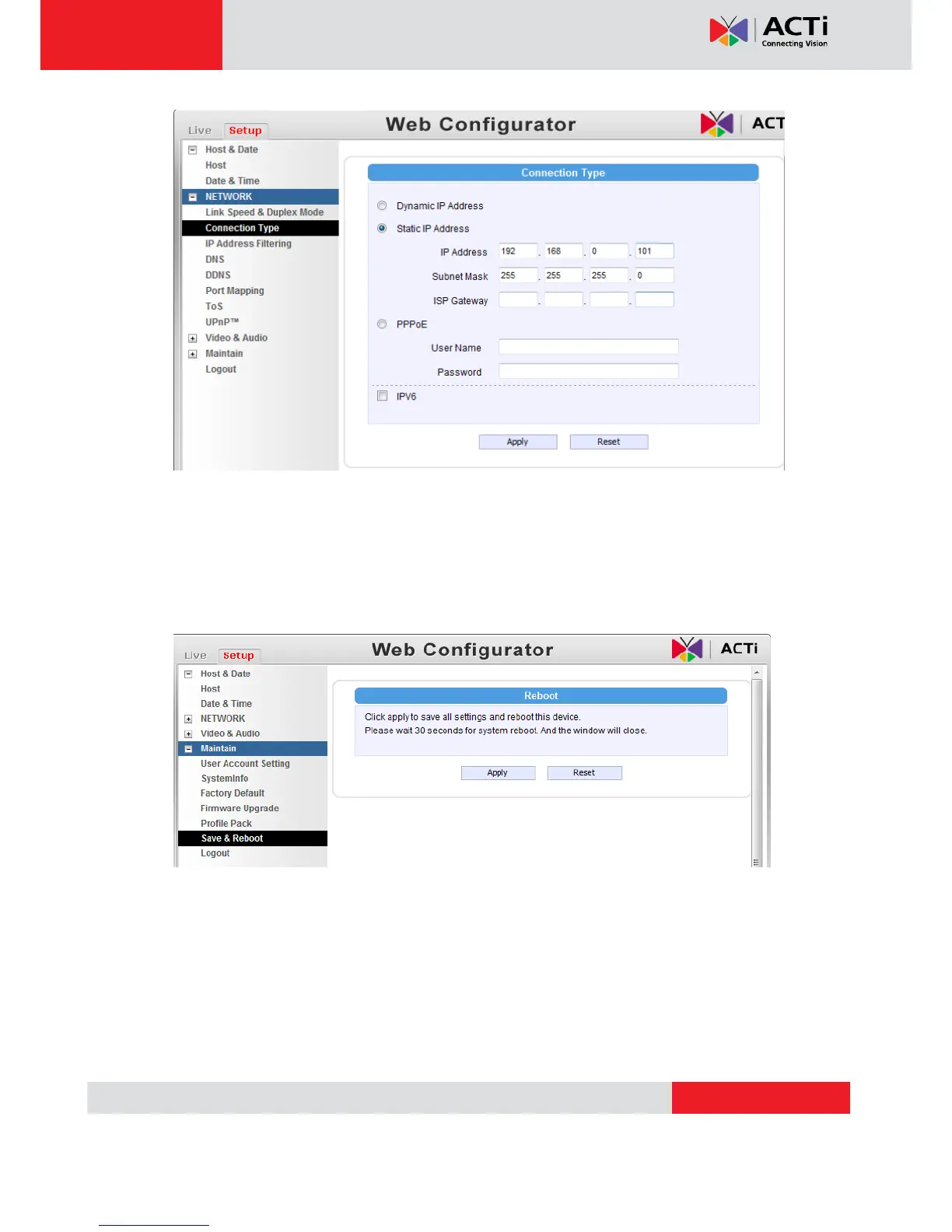
10. Click “Apply”
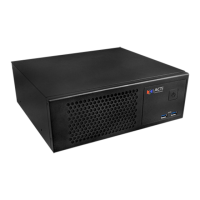
11. Please go to Maintain -> Save & Reboot, and click ”Apply”. Internet Explorer will close
after a few seconds. This is normal.
12. Wait for 30 seconds, and open IE again to connect to the new IP. (In this example,
192.168.0.101). For the second device or more you add into the network, please type
the correct IP.
13. Adjust the default Video setting by going to Video & Audio -> Media 1


 To Next Page