EasyManua.ls Logo

ACTi V21 - User Manual

ACTi V21
32 pages
Print Icon
To Next Page IconTo Next Page
Loading...
V2x Series Encoder
Hardware Manual
V21, V22, V23, V24
2016/05/31

Other manuals for ACTi V21

Question and Answer IconNeed help?

Do you have a question about the ACTi V21 and is the answer not in the manual?

Summary

Precautions

Heed all warnings

Adhere to all warnings on the product and manual to prevent damage.

Servicing

Refer all servicing to qualified service personnel only.

Safety Instructions

Damage Requiring Service

Conditions requiring professional service for device damage.

Physical Description

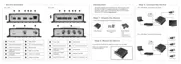
V21; V22 Ports and Indicators

Details the physical ports and indicators for V21/V22 models.

V23; V24 Ports and Indicators

Details the physical ports and indicators for V23/V24 models.

Mounting the Device

Making Connections

Connecting the Digital Input;Output Devices (Optional)

DI;DO Connection Specifications

Connecting Audio Devices (Optional)

Connecting a Serial Device (Optional)

Accessing the Encoder

Configure IP Addresses

Steps to configure IP addresses for network communication.

ACTi V21 Specifications

General IconGeneral
BrandACTi
ModelV21
CategoryMedia Converter
LanguageEnglish

Related product manuals