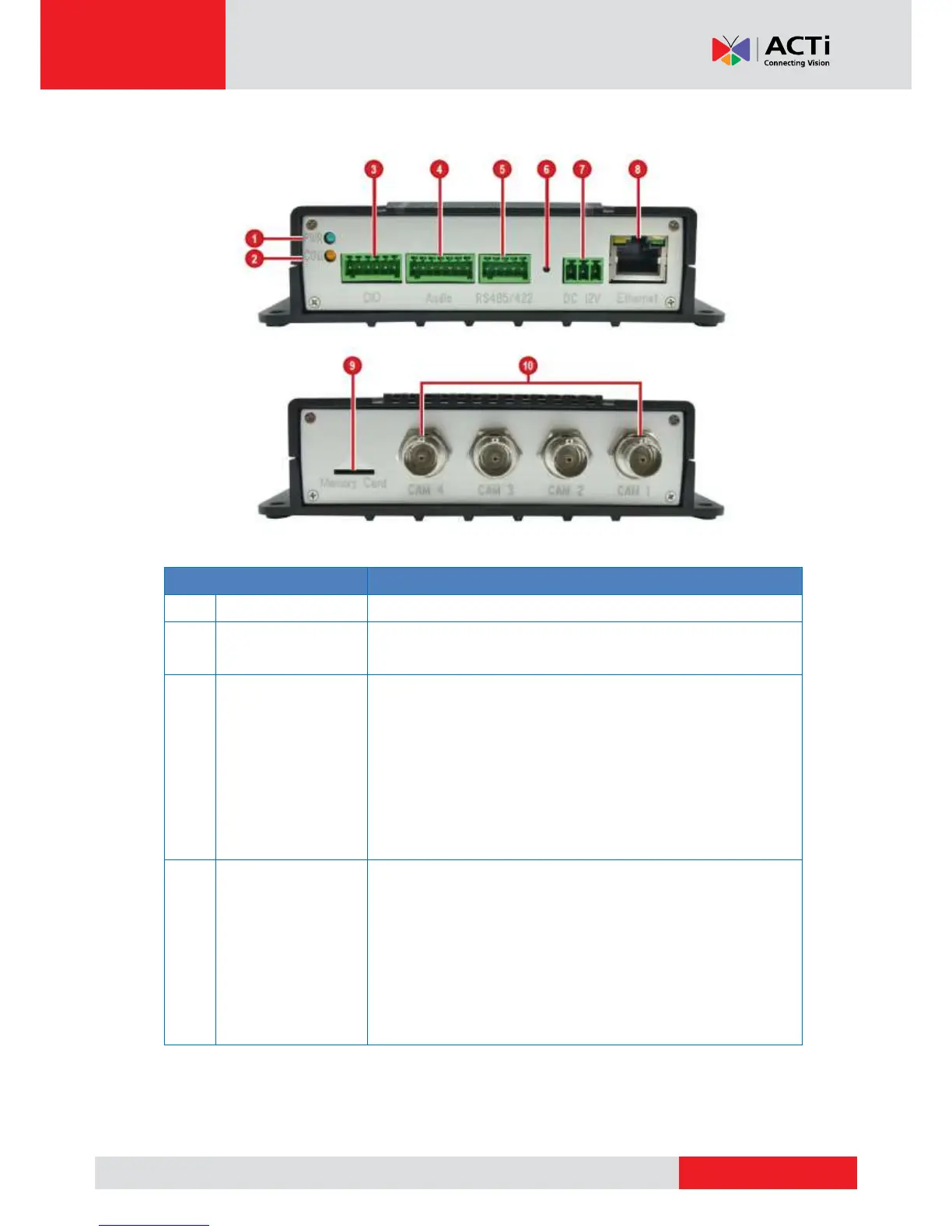
Connects to digital input or output devices, such as an
alarm trigger, panic button, etc. Digital Input (DI) and
Digital Output (DO) devices are used in applications
like motion detection, event triggering, alarm
notifications, etc. See How to Connect DI/DO Device
to V23 / V24 on page 19 for information on how to
connect DI/DO devices to the encoder.
Connects to audio input and output devices, such as a
microphone with built-in amplifier, speaker, etc. See
Connecting Audio Devices (Optional) on page 22
for more information.
NOTE: The microphone must have a built-in amplifier.
Connecting an ordinary microphone will dwarf sounds
and will result in inaudible recording.



 To Next Page