Encoder Hardware Manual
12
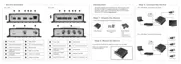
Connects to the serial port of an analog device for
RS-485 / RS-422 communication to control encoder
functions like pan-tilt, zoom, etc. See Connecting a
Serial Device (Optional) on page 23 for more
information.
Used to restore the factory default settings, including
the administrator’s password. Using a pointed object,
such as a pen, press and hold the Reset button for 5
seconds or until the Power LED lights up.
In case the encoder is connected to a non-PoE
(Power over Ethernet) switch, use this connector to
connect the encoder to an external power adaptor.
See Connecting a Power Adapter (Optional) on
page 16 for more information.
Connects to the network using a standard Ethernet
cable.
Insert a memory card (not included) into the slot for
local recording purposes. See How to Install /
Remove the Memory Card on page 25 for more
information.
NOTE: Supports only microSDHC and microSDXC
cards.
Video In
Connectors
(1~4)
Connects an analog camera through BNC connection.
The numbers indicate the camera channel number.
See Connecting the Analog Camera on page 15 for
more information.
NOTE: Video cable with BNC connector not included
in the package.



 To Next Page