VMGB-200 USER’S MANUAL
2
Physical Description
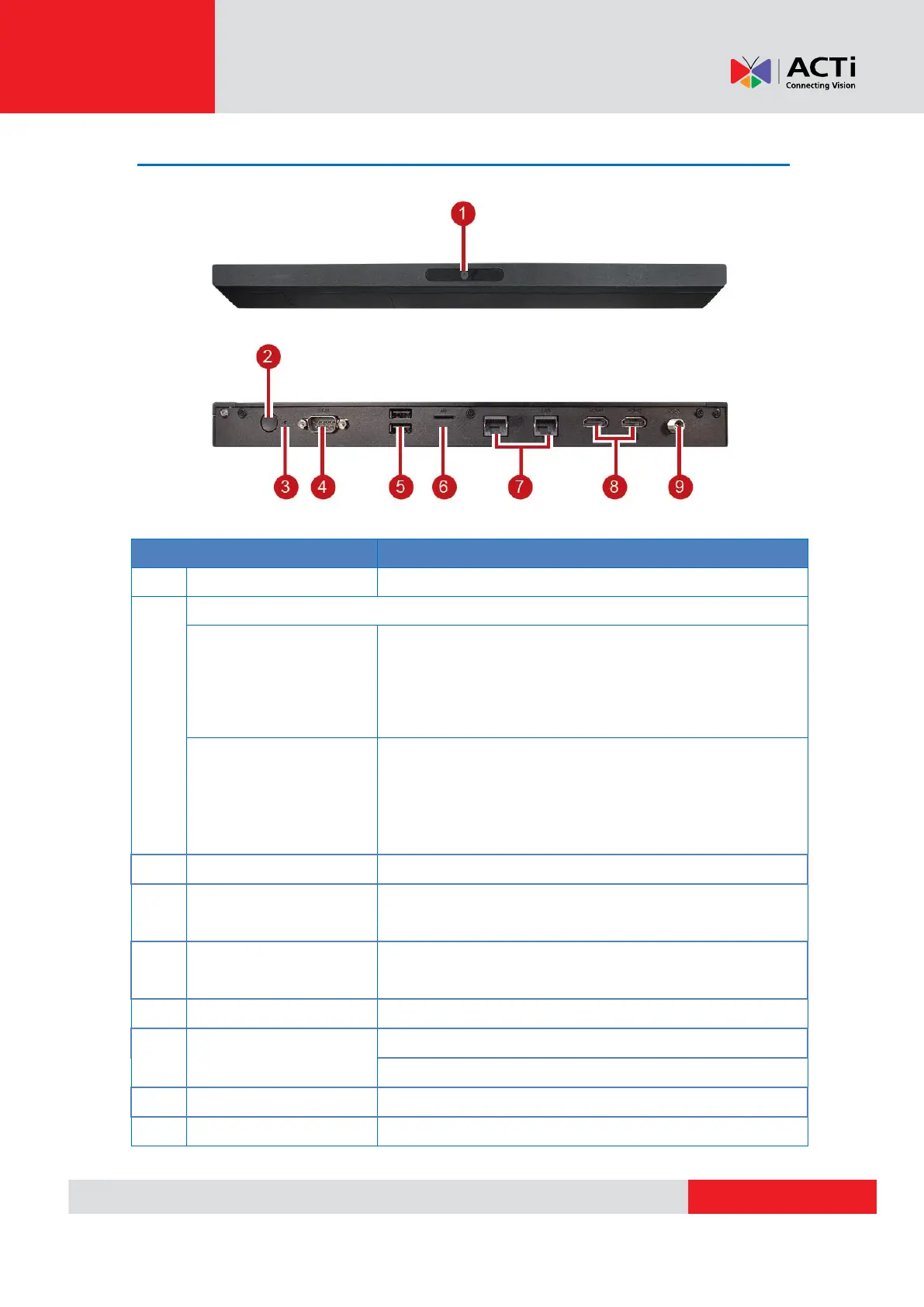
Behavior Tracking Sensor camera
If the device does not automatically turn on when
the power cable is plugged in, long press the
power button for 4 seconds to power On the
device.
To power off or restart the device, long press for 2
seconds.
To shut down the device, long press for 6 seconds
(RED LED will be lit)
Press to reset the device to default settings.
Reserved port to control large format display
(currently not supported)
Use for USB keyboard, mouse, and other external
input devices
Plug in microSD card for storage purposes
OUT: For internet connection
IN: For local network connection
To connect monitor via HDMI connection
Plug in the power cable. Device will auto power on


 To Next Page