VMGB-200 USER’S MANUAL
4
User Interface
Connect and use a USB mouse to operate the device. Input the password “admin” to open the
user interface.
Left-click mouse to go to apps program list.
Right-click mouse to go back the previous page.
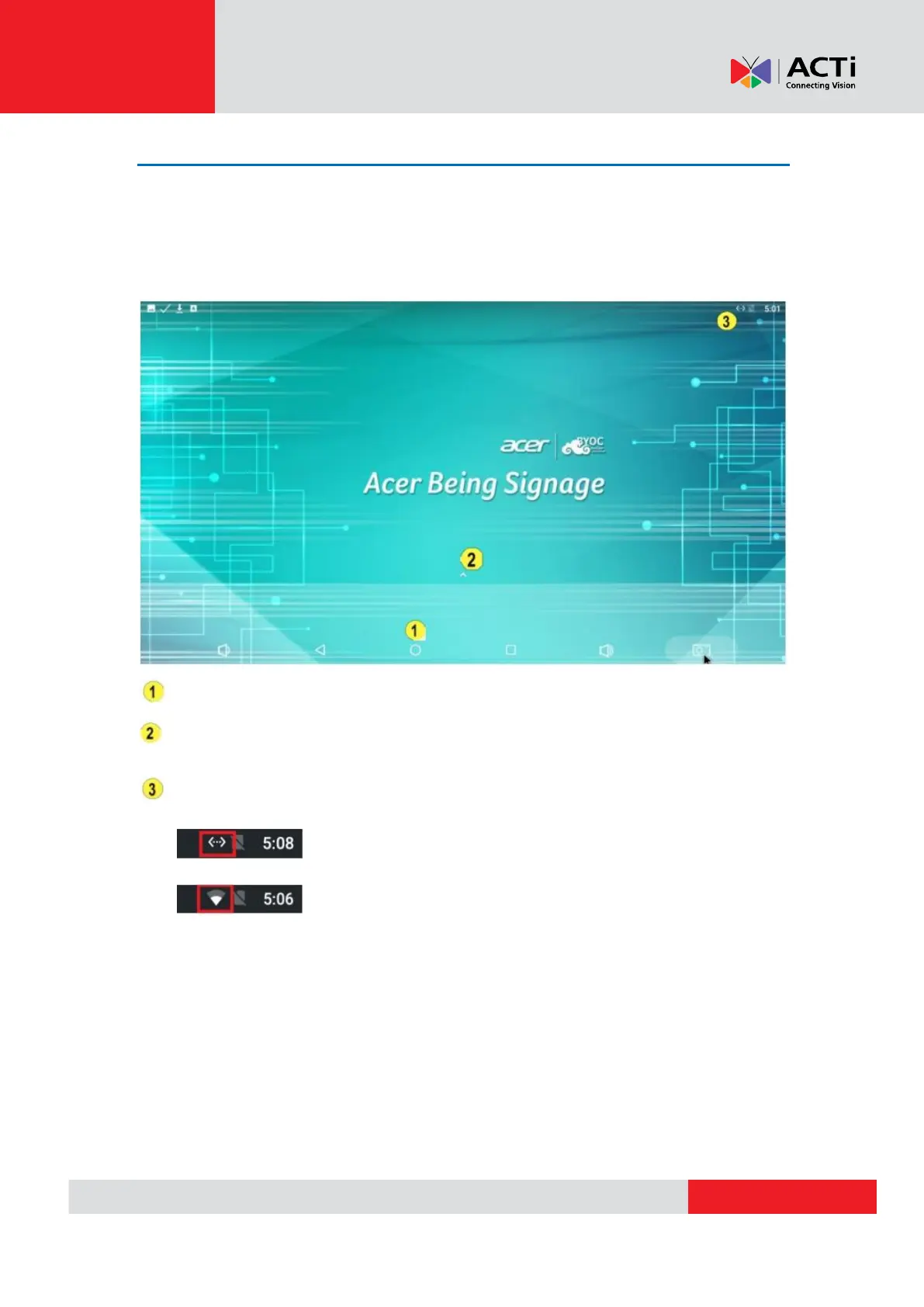
Back to Home Screen: Mouse over and click the O icon to go back to the Home screen.
Apps Menu: Click the
^
icon to launch the apps menu.
Network Status: Shows the network connection status.
Internet connected: Internet cable is connected (using the OUT port)
Wi-Fi connected: Connected to Wi-Fi AP


 To Next Page