Need help?
Do you have a question about the ActiGraph CentrePoint Insight Watch and is the answer not in the manual?
Details about the CPW01 device, its specifications, and intended use.
Software for managing the device and data.
Access to the cloud-based data platform.
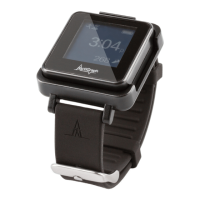
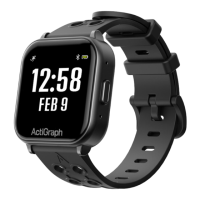
The wearable device itself.
Component for recharging the CPW01.
Connects the charging dock to power or computer.
Power adapter for the charging dock.
Optional component for data transfer.
IT instructions for network access to ActiGraph services.
Software and hardware specifications for using the system.
Steps to download and install the ActiSync software.
Instructions for charging the CPW01 device.
Process for assigning a device to a new study participant.
Details required for assigning a device to a participant.
Instructions for connecting the CP Data Hub to the CPW01.
Checking data upload and device pairing in the CentrePoint portal.
Final steps and instructions for participants after assignment.
Procedure for reassigning a device to a participant.
Guidelines on how and when to wear the CPW01 device.
Instructions for charging the CPW01 device.
Steps to connect and set up the Data Hub.
Process for uploading data from the CPW01 using ActiSync.
Acknowledging participant wear compliance after data upload.
Overview of participant data and activity feed.
Navigating to the list of participants and their data.
Viewing detailed data uploads and battery status for a subject.
How to check participant wear compliance metrics.
Steps for uploading data and removing a device from a participant.
Steps to stop data collection and finalize device removal.
Instructions for cleaning and storing the CPW01 and accessories.
Procedure to remove a lost or broken device from a participant.
Action to disassociate the CPW01 from the subject.
Instructions for assigning a new device to an existing participant.
Answers regarding wearing duration, wrist placement, and charging.
Guidance on what to do if the device is lost or broken.
Advice for participants traveling and reporting skin reactions.
Explanation of Data Hub lights and device lifespan.
Compliance statements regarding FCC rules and interference.
Explanation of symbols, cautions, and notices for device usage.
Information on authorized representatives, sponsor, and catalog numbers.
Details on CE marking, Brazilian homologation, and usage instructions.
Information on manufacturer, operating temperature, and humidity ranges.
Guidance on disposal, battery type, and electrical safety standards.
Explanation of water resistance ratings and FCC regulations.
How to get help, contact details, and required information.
 General
| Display Type | Monochrome LCD |
|---|---|
| Display Size | 1.1 inches |
| Display Resolution | 128 x 128 pixels |
| Sensors | 3-axis accelerometer |
| Battery Life | Up to 7 days |
| Memory | 8MB |
| Compatibility | iOS and Android |
| Connectivity | Bluetooth |
| Device Type | Activity tracker |

 To Next Page